> ## Documentation Index
> Fetch the complete documentation index at: https://docs.mention-me.com/llms.txt
> Use this file to discover all available pages before exploring further.
# Coupon Reminder Scenarios in Bloomreach
> Create Bloomreach scenarios to remind referrers and referees to use their Mention Me coupon codes.
## About these scenarios
These Bloomreach scenarios remind customers to use their Mention Me coupon codes. The referee scenario targets prospective customers, while the referrer scenario targets existing customers who earned a reward for referring a friend.
Built using Mention Me data and Bloomreach's [Scenarios functionality](https://documentation.bloomreach.com/engagement/docs/introduction-to-scenarios).
You can also import these scenarios as pre-built initiatives. See [How to Install Mention Me Pre-Built Referral Initiatives in Bloomreach](/knowledge/esp-crm/bloomreach/promote-referral#installing-pre-built-initiatives).
## Prerequisites
1. Active Mention Me referral program
2. Mention Me / Bloomreach integration enabled
3. ESP integrated with your Bloomreach environment
4. Basic understanding of [Bloomreach Jinja](https://documentation.bloomreach.com/engagement/docs/filters#date--time-processing)
## Supported channels
* Email
## Referee scenario
Remind prospective customers (referees) to use the coupon codes they received after being introduced to your brand.
Goals:
* **Drive first purchase**
* **Increase average order value**
### Basic workflow
1. The referee receives a coupon via Mention Me's initial email.
2. If no purchase is made, follow-up reminder emails encourage them to redeem.
3. More reminders are sent if the referee still hasn't completed a purchase.
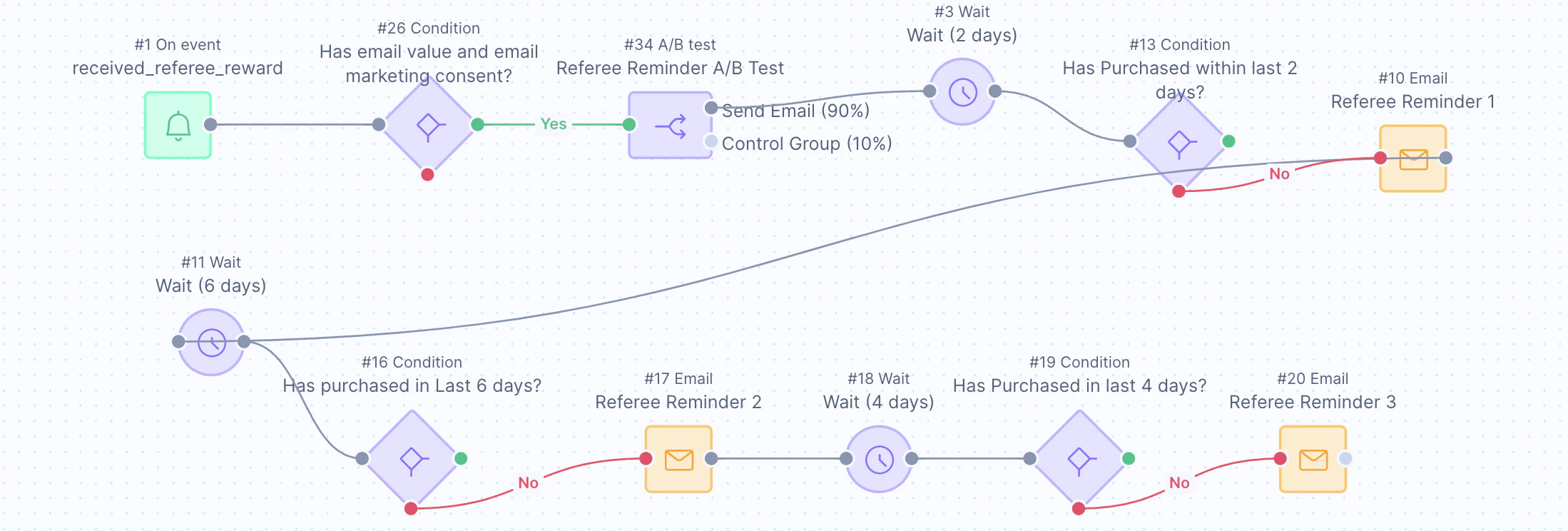 ### Step 1: Create the scenario flow
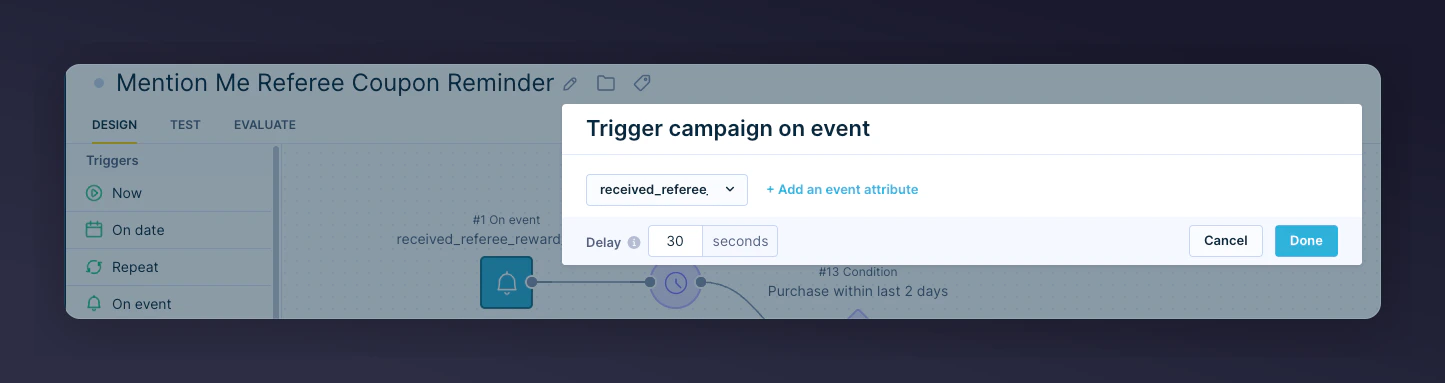
1. Set trigger as **On Event**: `received_a_referee_reward`
### Step 1: Create the scenario flow
1. Set trigger as **On Event**: `received_a_referee_reward`
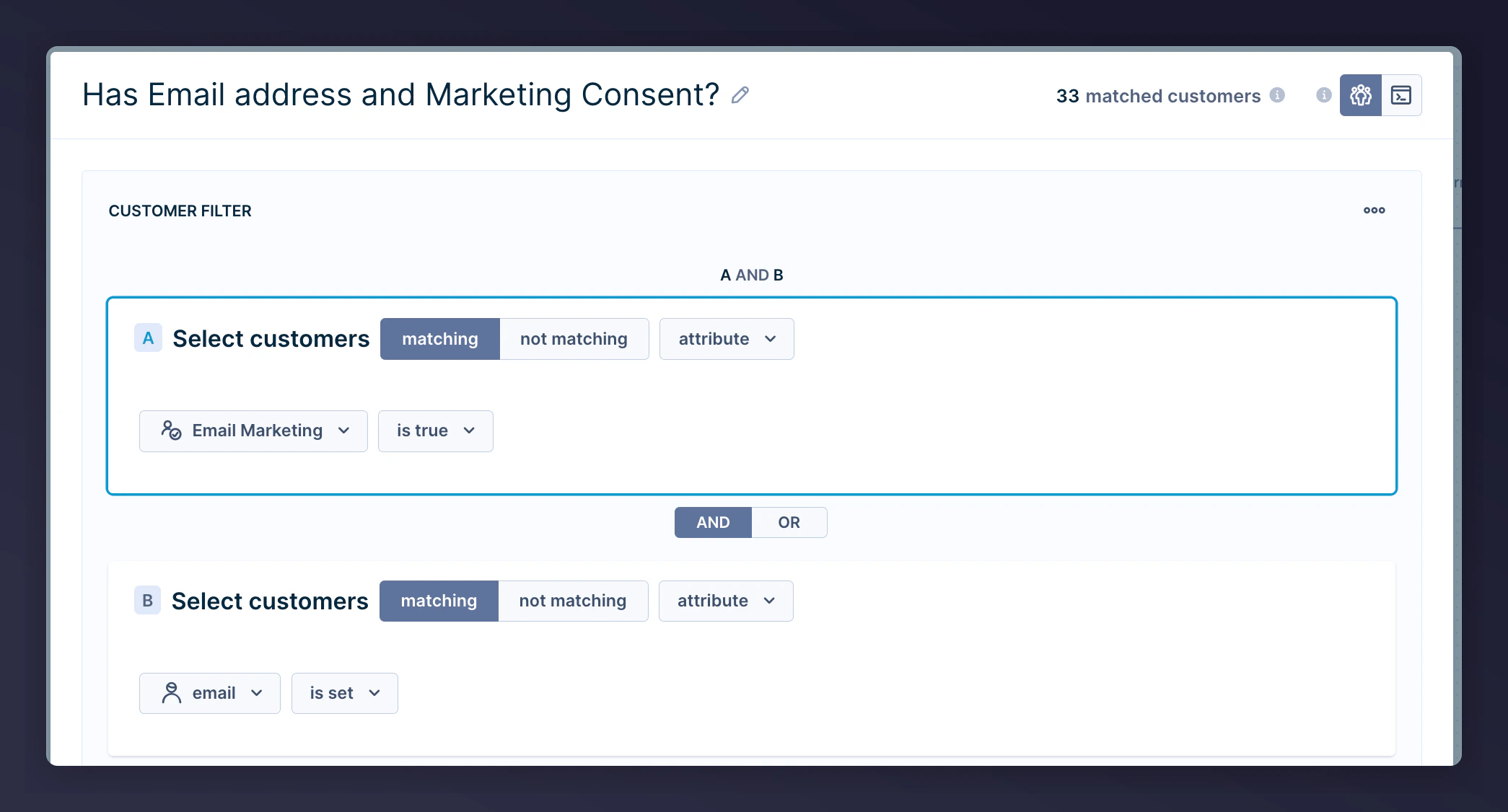
 2. Segment for contacts with email + marketing consent
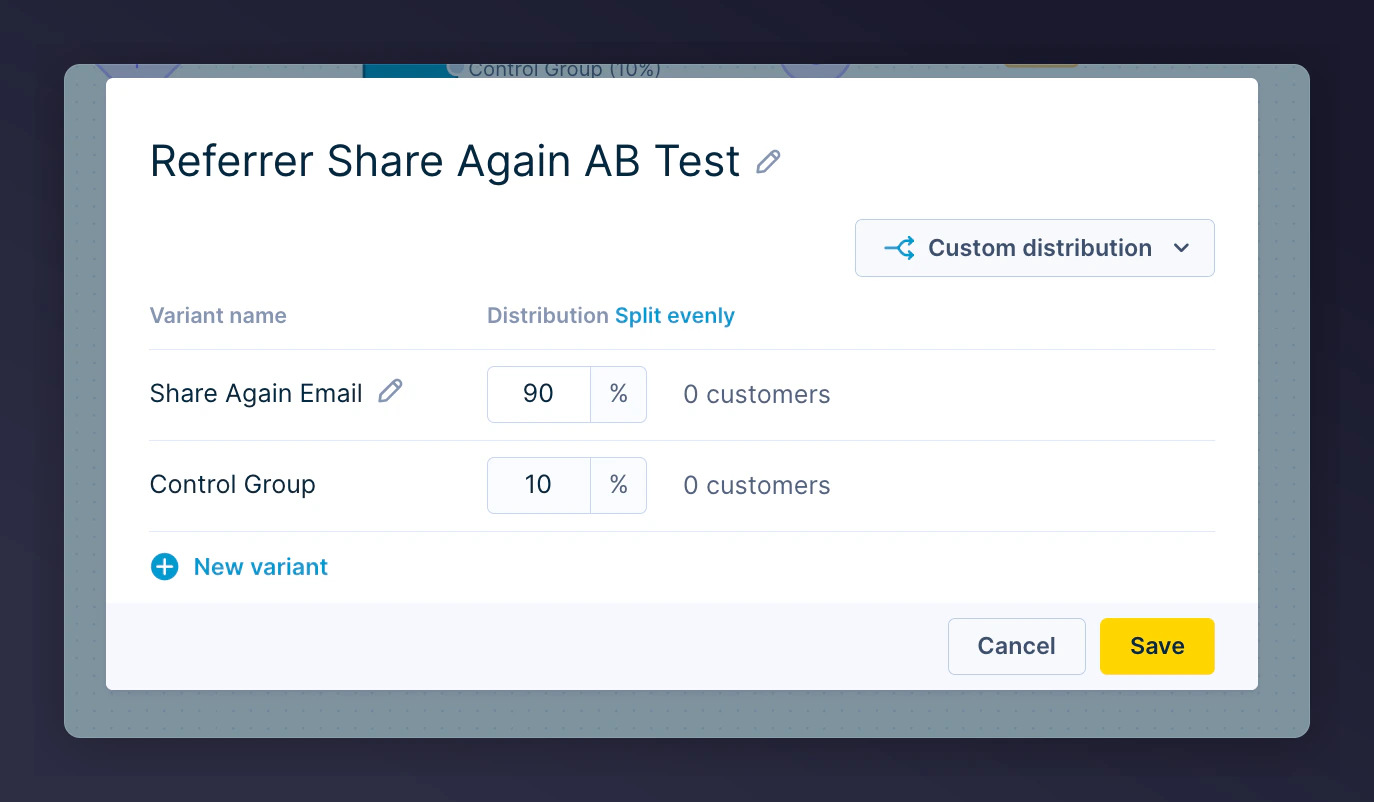
 3. Add an A/B test (90/10 split) to monitor impact
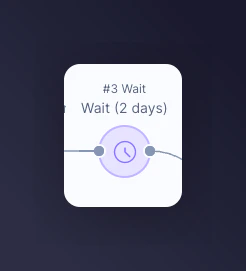
 4. Add wait periods between emails:
* 1st email -- 2 days after event trigger
* 2nd email -- 6 days after 1st email
* 3rd email -- 4 days after 2nd email
4. Add wait periods between emails:
* 1st email -- 2 days after event trigger
* 2nd email -- 6 days after 1st email
* 3rd email -- 4 days after 2nd email
 If you are unsure about reward validity, contact your Mention Me CSM or [Mention Me Support](https://help.mention-me.com/hc/en-gb/requests/new).
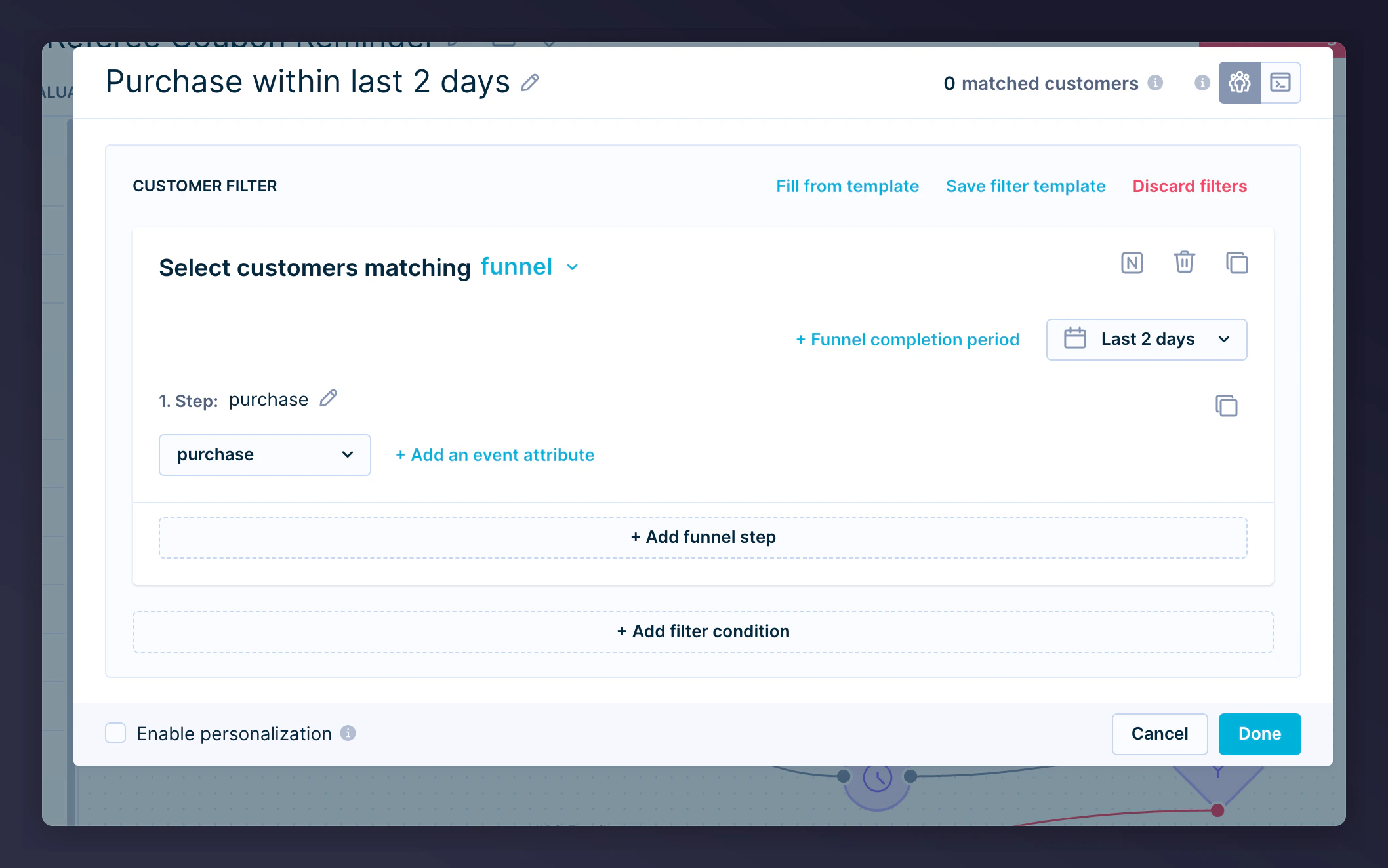
5. Include a conditional split to check if a purchase has been made within a given period:
* 1st email -- check for purchases within 2 days
* 2nd email -- check within 6 days
* 3rd email -- check within 4 days
If you are unsure about reward validity, contact your Mention Me CSM or [Mention Me Support](https://help.mention-me.com/hc/en-gb/requests/new).
5. Include a conditional split to check if a purchase has been made within a given period:
* 1st email -- check for purchases within 2 days
* 2nd email -- check within 6 days
* 3rd email -- check within 4 days
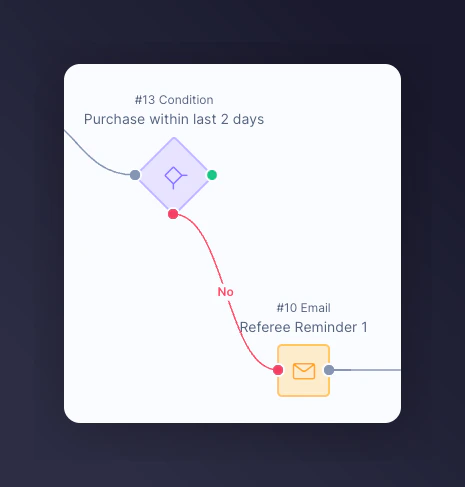
 6. In the "No" branch, add Email Action for contacts who haven't purchased
 Repeat Steps 2-4 for each follow-up reminder email.
### Step 2: Add email content
1. Update content and styling for brand consistency
2. Add product recommendations to increase conversion
3. Under Email Settings, set correct consent category
Repeat Steps 2-4 for each follow-up reminder email.
### Step 2: Add email content
1. Update content and styling for brand consistency
2. Add product recommendations to increase conversion
3. Under Email Settings, set correct consent category
 #### Preview images
Reminder 1:
#### Preview images
Reminder 1:
 Reminder 2:
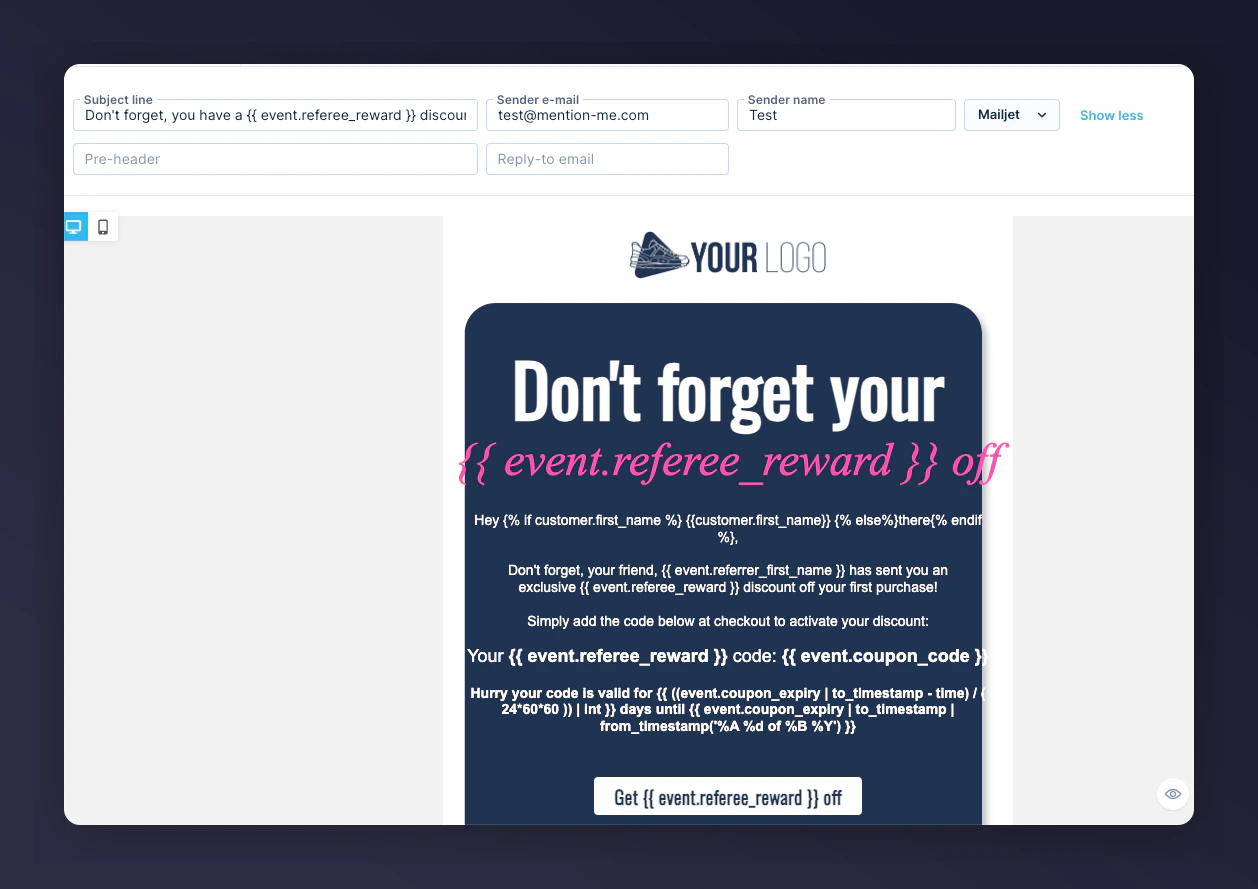 Reminder 3:
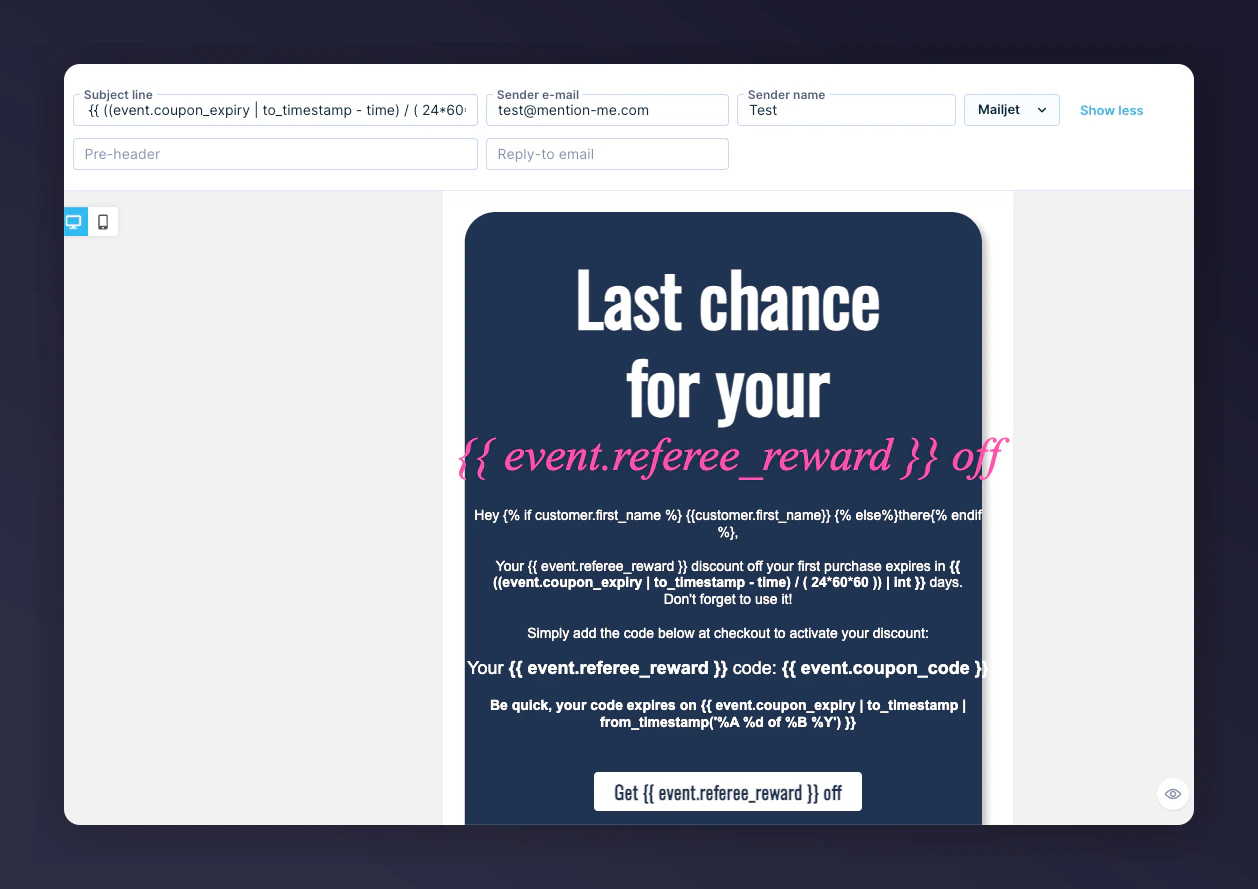 ### Jinja variables
| Variable | Description | Example |
| -------------------------------------------------------------------------------- | --------------------------------------- | ----------------------------------------------- |
| `{{ event.referrer_first_name }}` | First name of the referrer | Ryder |
| `{{ event.referee_reward }}` | Reward available to the referee | £15 or 30% |
| `{{ event.coupon_code }}` | Coupon code assigned to the referee | 10USDOFF-RXAAURVZ |
| `{{ ((event.coupon_expiry \| to_timestamp - time) / (24*60*60)) \| int }}` | Days remaining until coupon expiry | 8 |
| `{{ event.coupon_expiry \| to_timestamp \| from_timestamp('%A, %d of %B %Y') }}` | Coupon expiry date formatted for reader | Wednesday, 19 of July 2023 |
| `{{ event.call_to_action_url }}` | Destination URL for redemption | [www.mention-me.com](http://www.mention-me.com) |
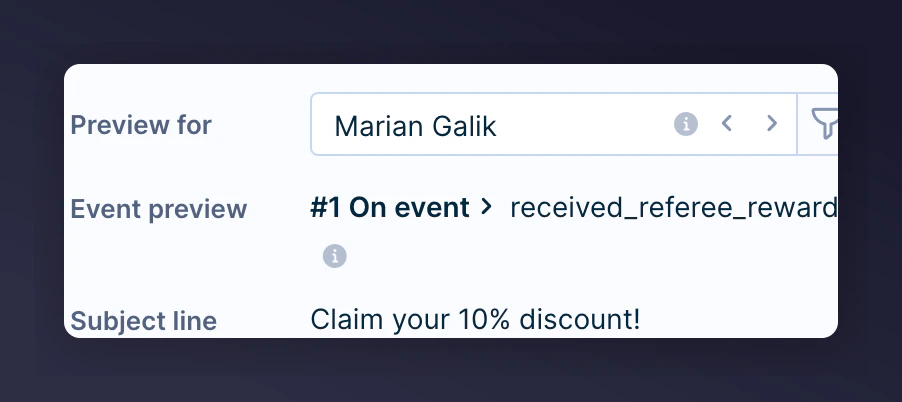
### Step 3: Preview the email
1. Open Design Test tab
2. Select a contact who triggered the event
3. Preview email message with event data
### Jinja variables
| Variable | Description | Example |
| -------------------------------------------------------------------------------- | --------------------------------------- | ----------------------------------------------- |
| `{{ event.referrer_first_name }}` | First name of the referrer | Ryder |
| `{{ event.referee_reward }}` | Reward available to the referee | £15 or 30% |
| `{{ event.coupon_code }}` | Coupon code assigned to the referee | 10USDOFF-RXAAURVZ |
| `{{ ((event.coupon_expiry \| to_timestamp - time) / (24*60*60)) \| int }}` | Days remaining until coupon expiry | 8 |
| `{{ event.coupon_expiry \| to_timestamp \| from_timestamp('%A, %d of %B %Y') }}` | Coupon expiry date formatted for reader | Wednesday, 19 of July 2023 |
| `{{ event.call_to_action_url }}` | Destination URL for redemption | [www.mention-me.com](http://www.mention-me.com) |
### Step 3: Preview the email
1. Open Design Test tab
2. Select a contact who triggered the event
3. Preview email message with event data

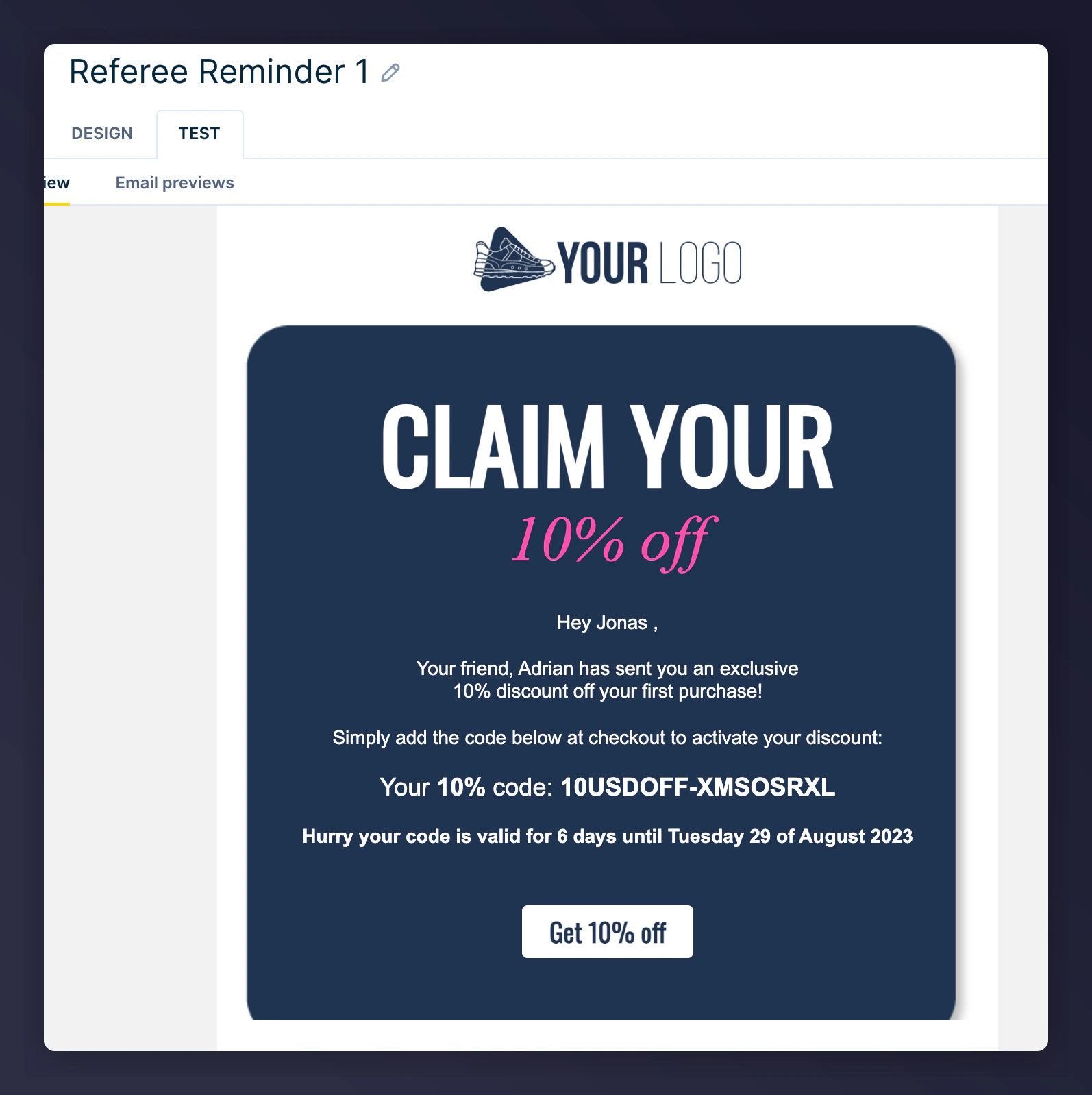
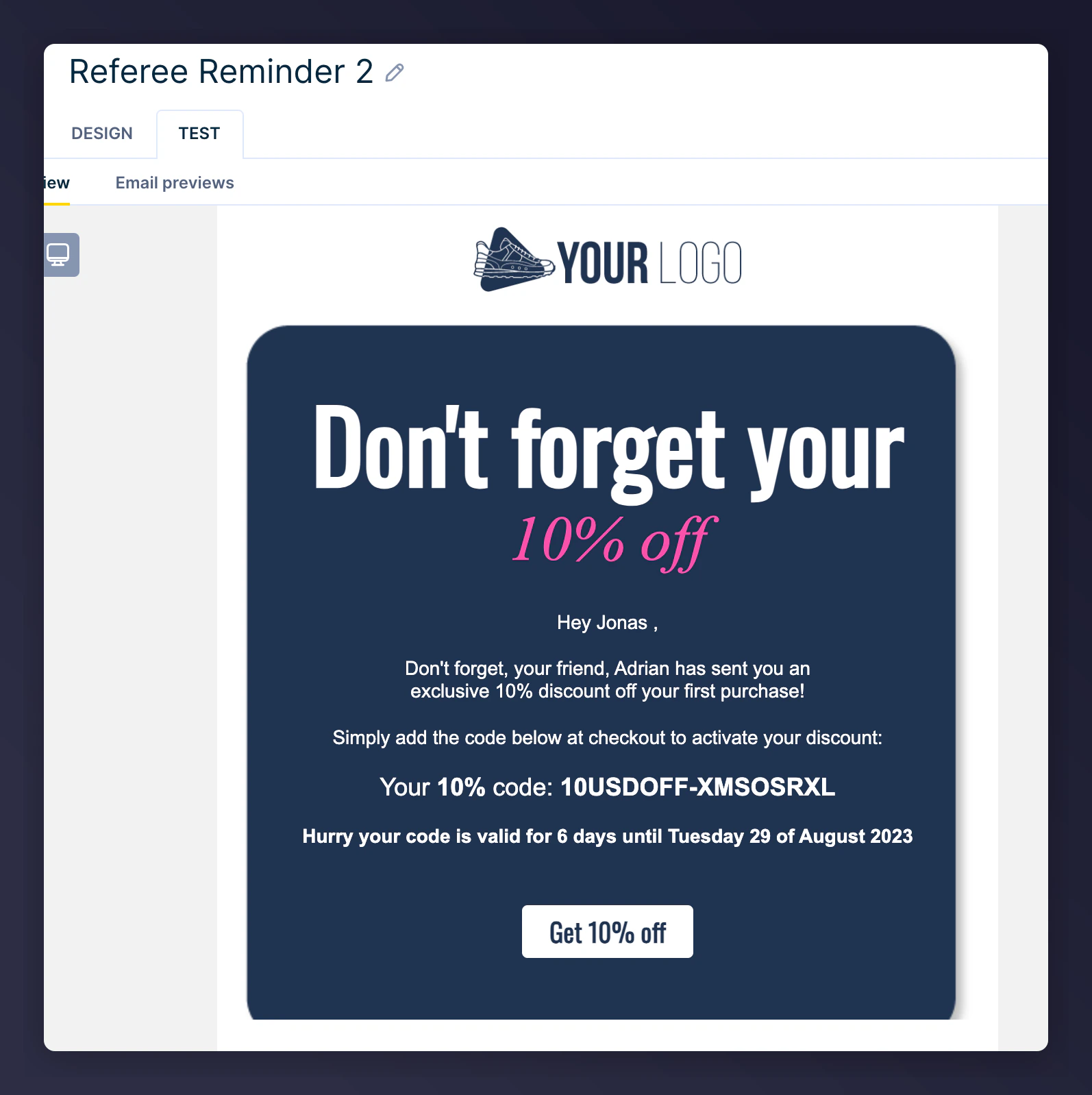
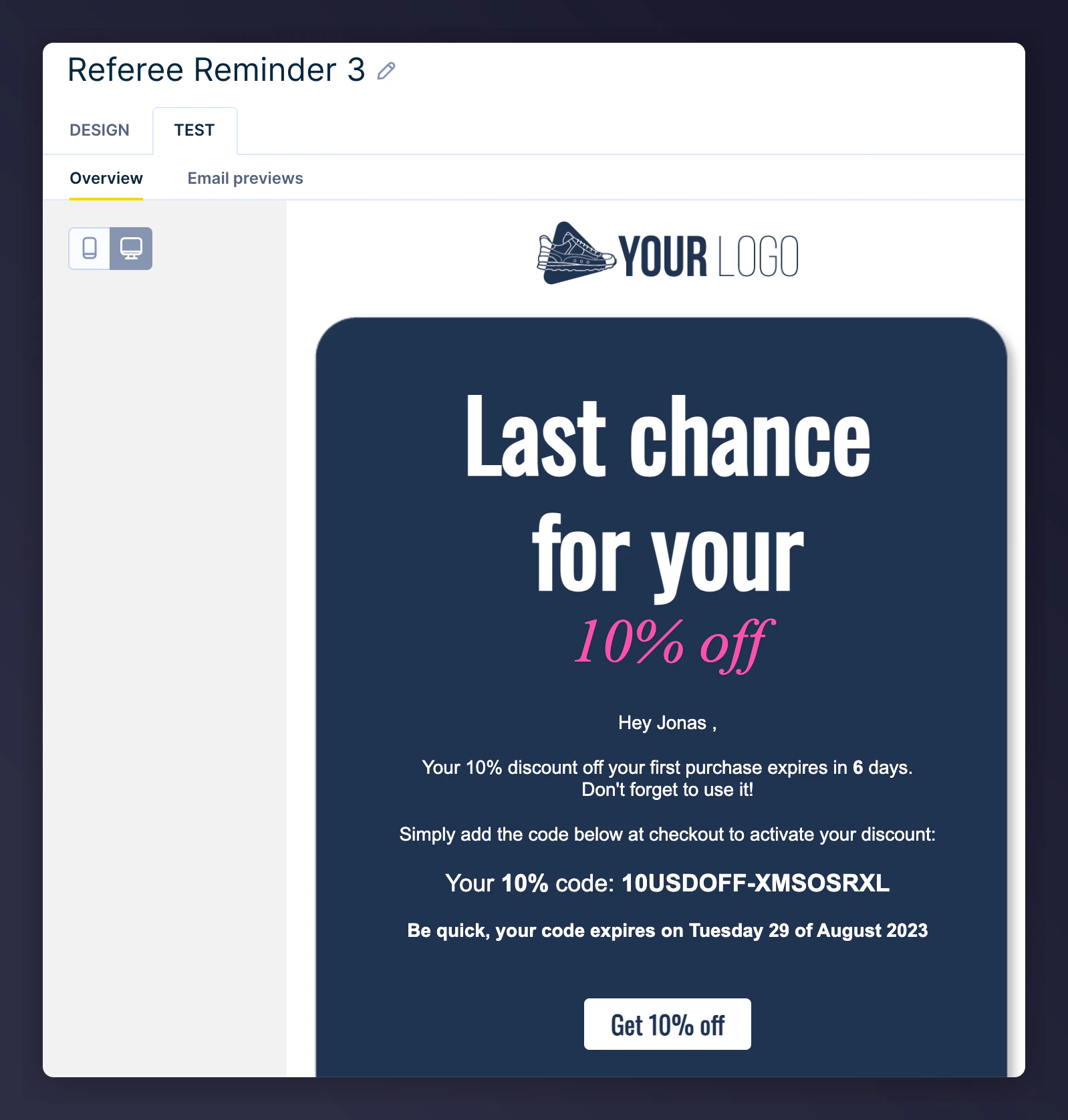
 Example reminder previews:
 ### Step 4: Activate scenario
Once testing is complete, click **Start** to activate the Scenario.
### Step 4: Activate scenario
Once testing is complete, click **Start** to activate the Scenario.
 ## Referrer scenario
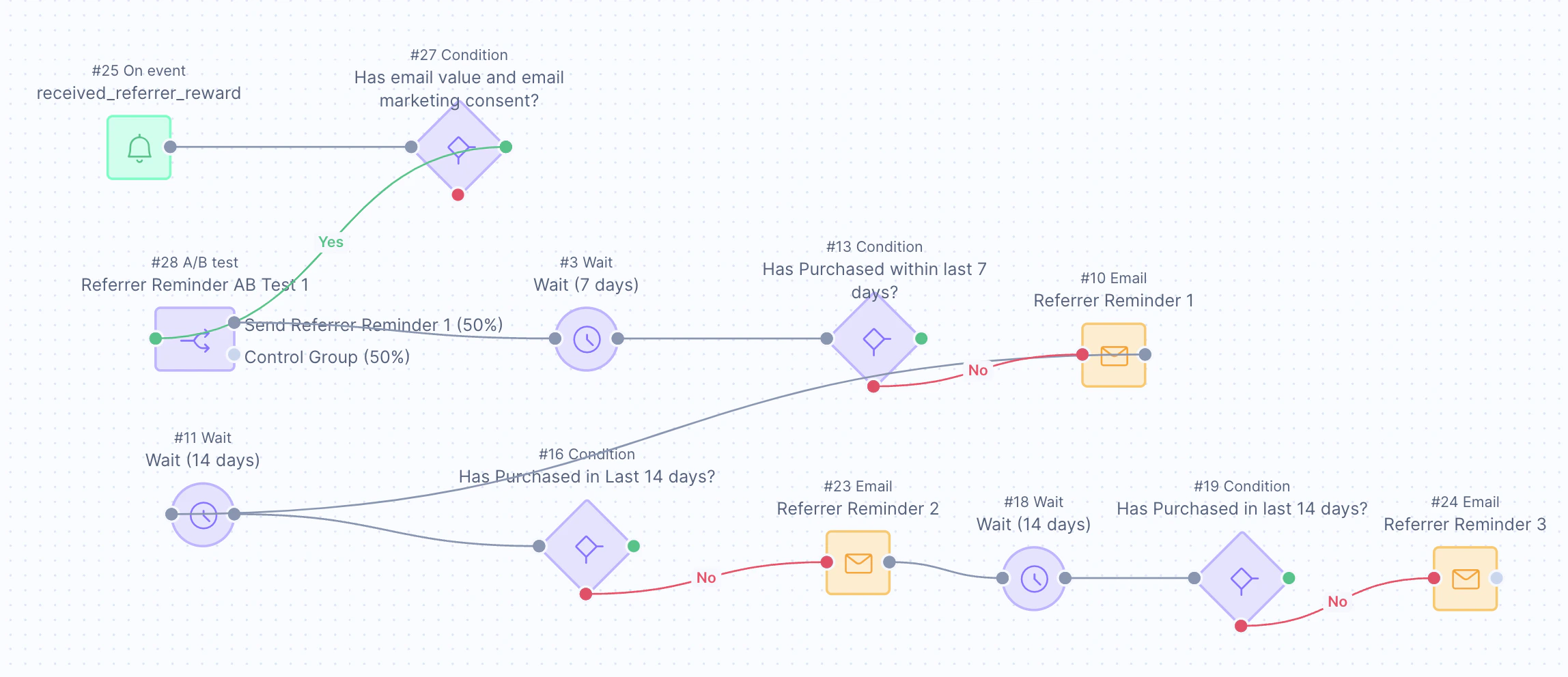
Remind existing customers (referrers) to use the coupon codes they received after referring a friend. It uses Mention Me referral data integrated within Bloomreach Scenarios.
Goals:
* **Increase active customer revenue**
* **Drive premium customer revenue**
* **Improve retention**
### Basic workflow
1. Referrers automatically receive a coupon (sent by Mention Me).
2. Reminder email is sent (if opt-in + no purchase).
3. Further reminders are sent at scheduled intervals.
## Referrer scenario
Remind existing customers (referrers) to use the coupon codes they received after referring a friend. It uses Mention Me referral data integrated within Bloomreach Scenarios.
Goals:
* **Increase active customer revenue**
* **Drive premium customer revenue**
* **Improve retention**
### Basic workflow
1. Referrers automatically receive a coupon (sent by Mention Me).
2. Reminder email is sent (if opt-in + no purchase).
3. Further reminders are sent at scheduled intervals.
 ### Step 1: Build the scenario flow
1. Set trigger as **On Event** with event name: `received_a_referrer_reward`
### Step 1: Build the scenario flow
1. Set trigger as **On Event** with event name: `received_a_referrer_reward`
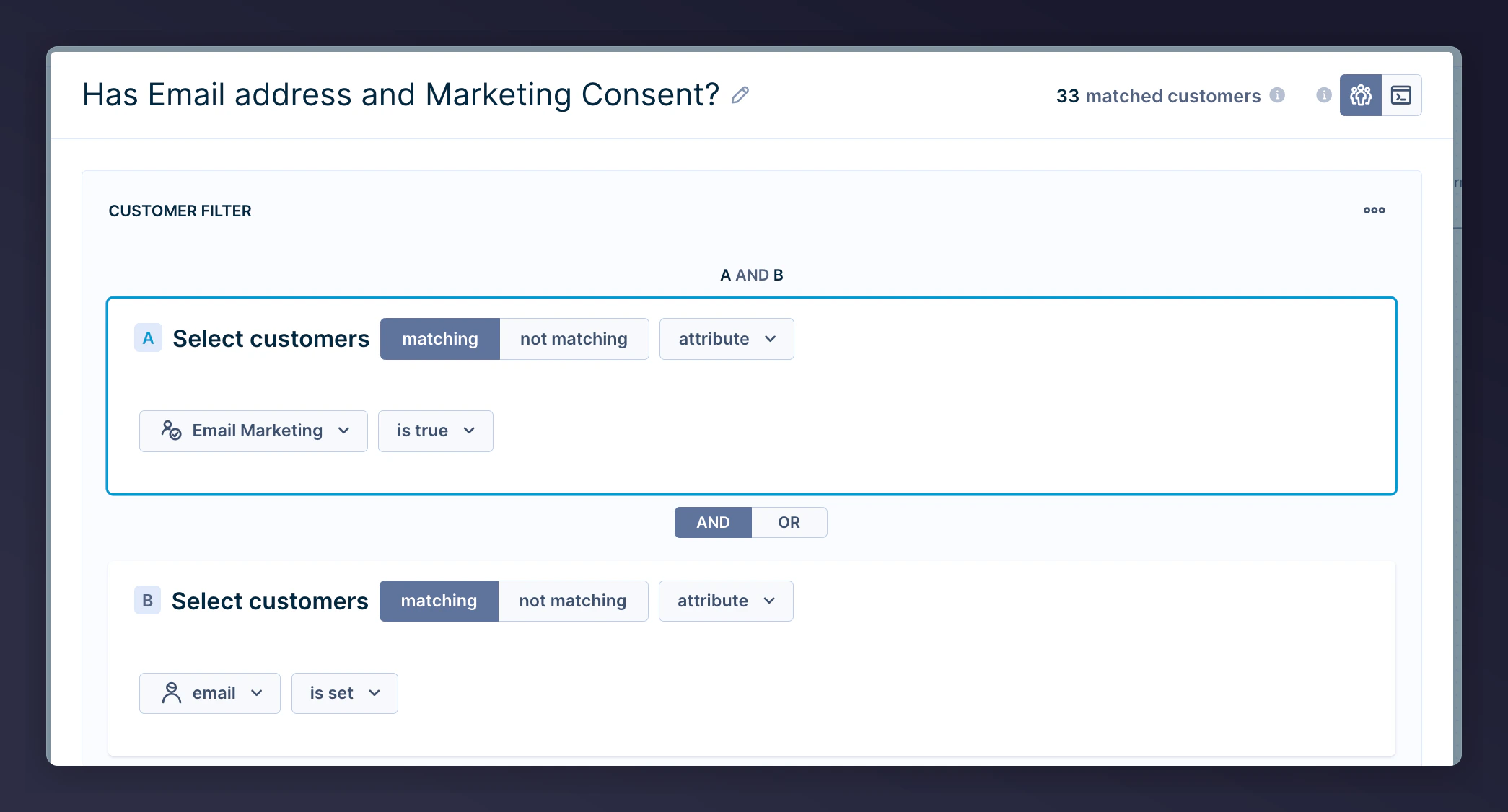
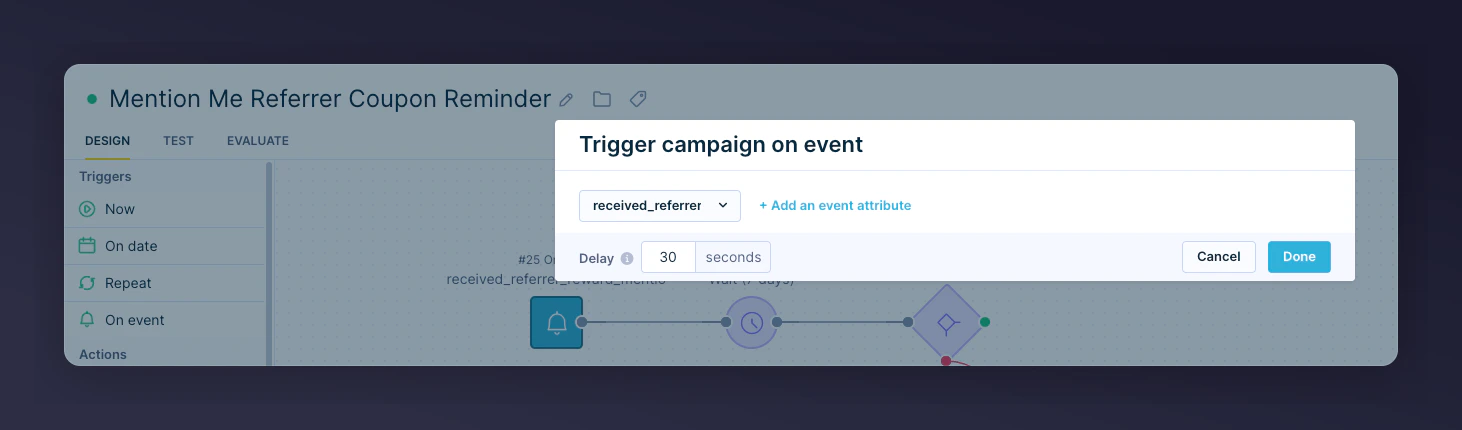 2. Add segmentation to ensure contacts have a valid email + consent
 3. Add A/B Test (90/10 split) to measure scenario impact
 4. Insert wait periods before sending each email:
* 1st email -- wait 7 days after coupon sent
* 2nd email -- wait 14 days after 1st email
* 3rd email -- wait 14 days after 2nd email
4. Insert wait periods before sending each email:
* 1st email -- wait 7 days after coupon sent
* 2nd email -- wait 14 days after 1st email
* 3rd email -- wait 14 days after 2nd email
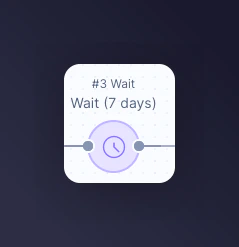 If you're unsure of your coupon validity period, please contact your Mention Me CSM or [Mention Me Support](https://help.mention-me.com/hc/en-gb/requests/new).
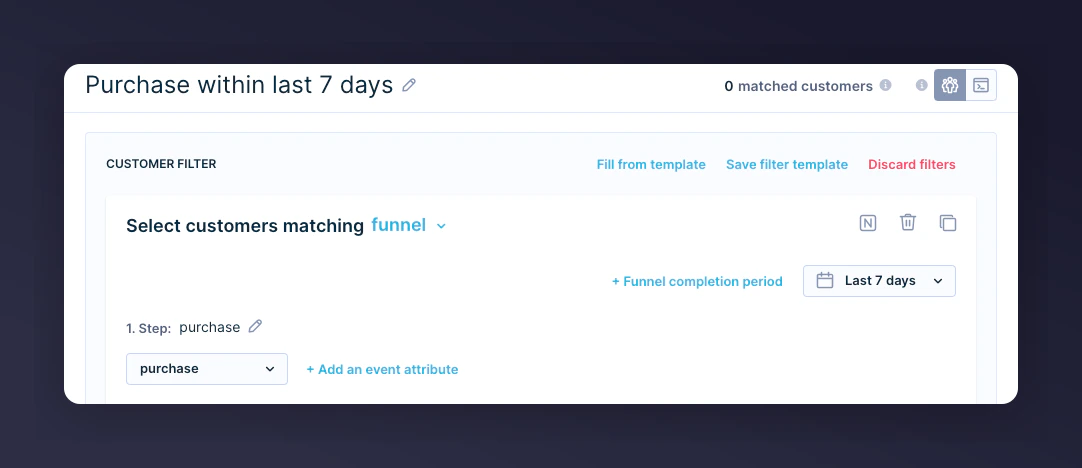
5. Add a conditional split to check if the referrer has made a purchase:
* 1st email -- purchased in the last 7 days
* 2nd email -- purchased in the last 14 days
* 3rd email -- purchased in the last 14 days
If you're unsure of your coupon validity period, please contact your Mention Me CSM or [Mention Me Support](https://help.mention-me.com/hc/en-gb/requests/new).
5. Add a conditional split to check if the referrer has made a purchase:
* 1st email -- purchased in the last 7 days
* 2nd email -- purchased in the last 14 days
* 3rd email -- purchased in the last 14 days
 6. Add Email Action on the "No" branch (didn't purchase)
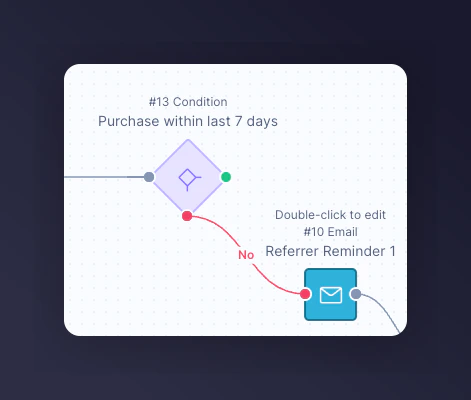 **Repeat steps 2-4** for each additional reminder email.
### Step 2: Add email content
1. Customise imagery and styling to align with your brand
2. Include optional product recommendations
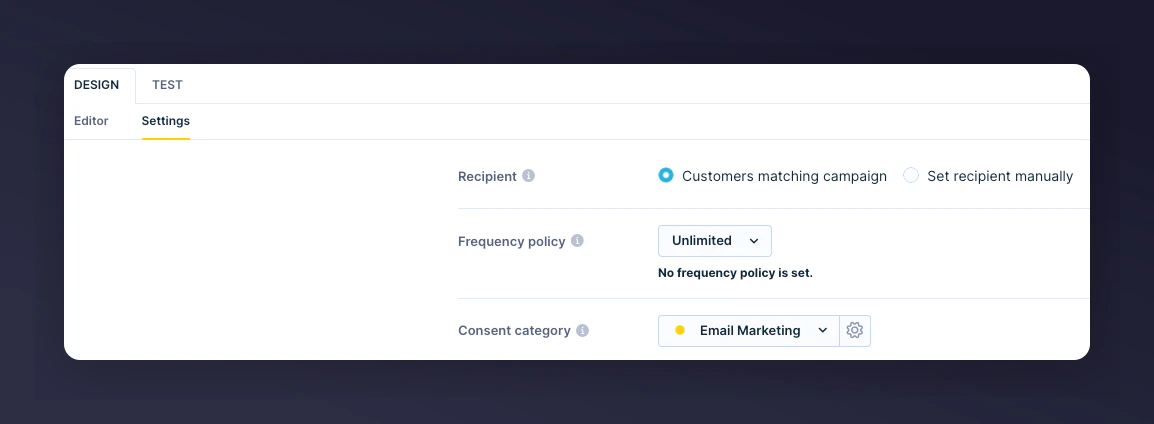
3. Set the appropriate consent category in the email Settings
**Repeat steps 2-4** for each additional reminder email.
### Step 2: Add email content
1. Customise imagery and styling to align with your brand
2. Include optional product recommendations
3. Set the appropriate consent category in the email Settings
 #### Live email previews
**Reminder 1:**
#### Live email previews
**Reminder 1:**
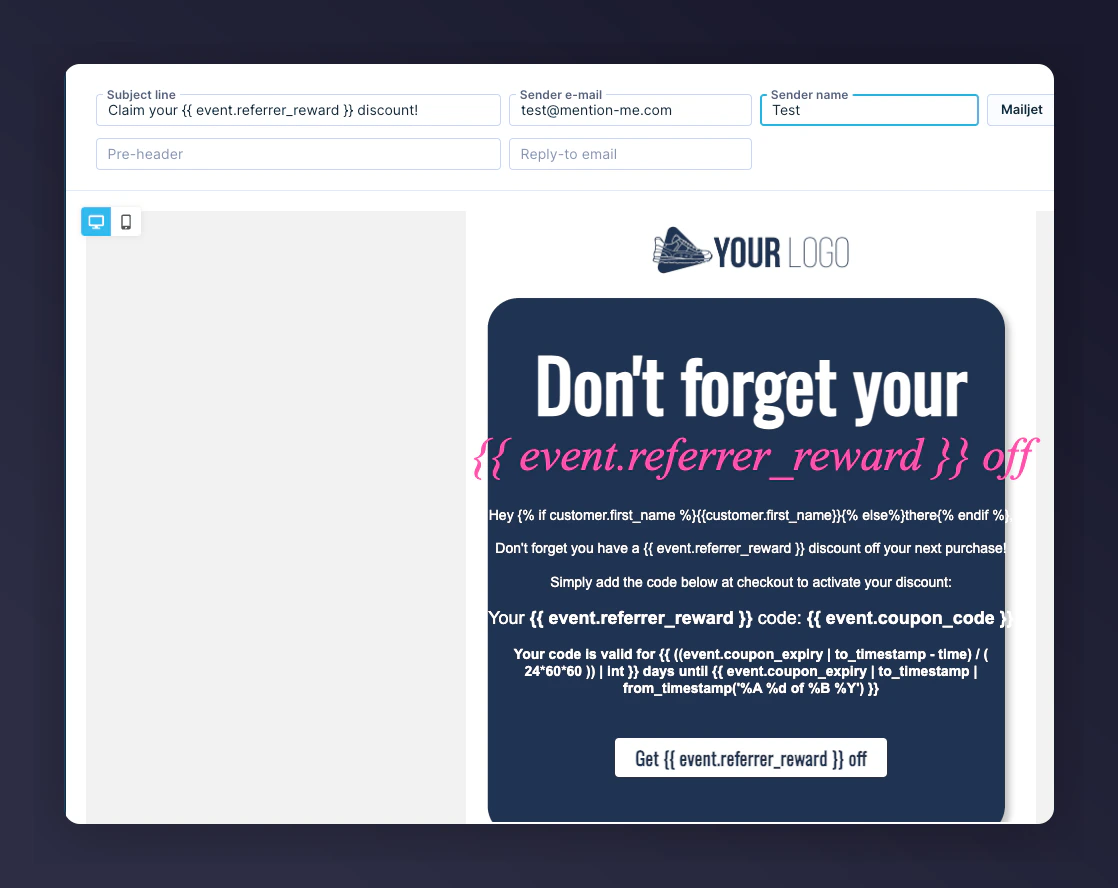 **Reminder 2:**
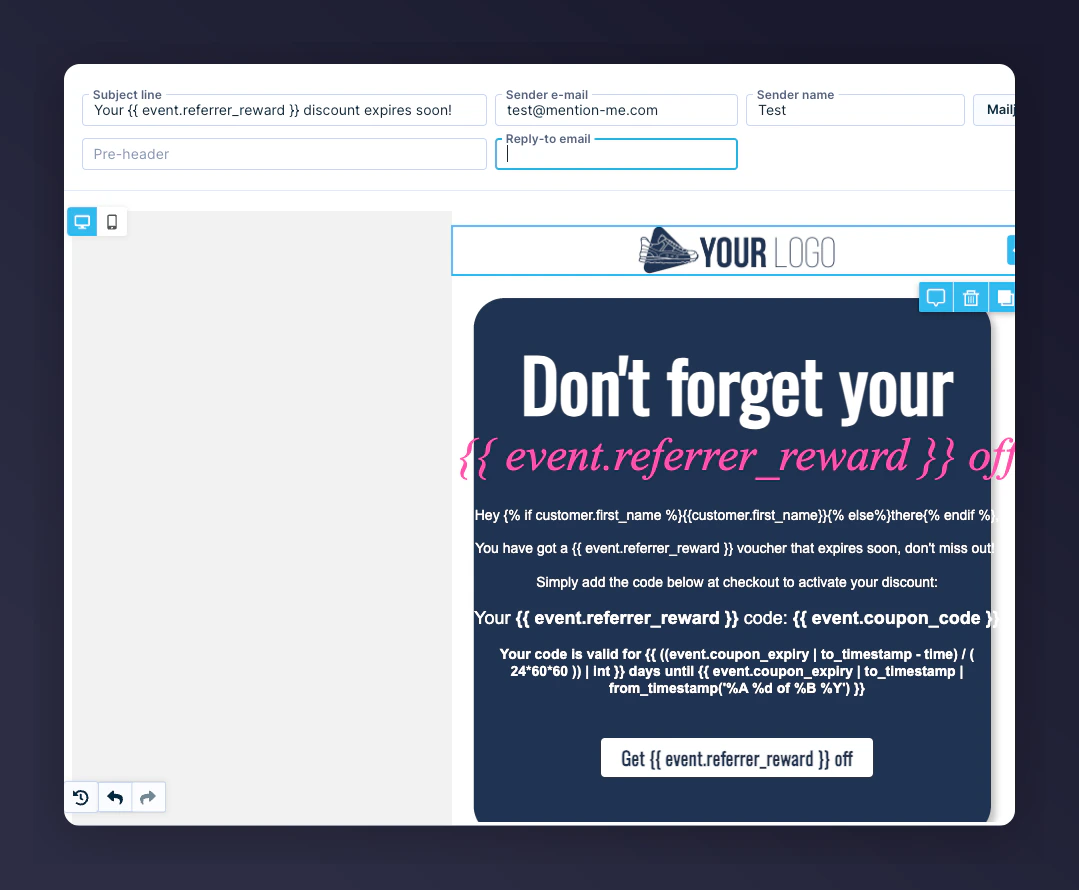 **Reminder 3:**
 ### Useful Jinja variables
| Jinja Syntax | Description | Example |
| -------------------------------------------------------------------------------- | ------------------------------------- | -------------------------- |
| `{% if customer.first_name %}{{customer.first_name}}{% else %}there{% endif %}` | Customer's first name with fallback | "Ryder" or "there" |
| `{{ event.referrer_reward }}` | Referrer's reward display text | £15 or 30% |
| `{{ event.coupon_code }}` | Referrer's unique coupon code | 10USDOFF-RXAAURVZ |
| `{{ ((event.coupon_expiry \| to_timestamp - time) / (24*60*60)) \| int }}` | Days left until coupon expiry | 8 days |
| `{{ event.coupon_expiry \| to_timestamp \| from_timestamp('%A, %d of %B %Y') }}` | Formatted expiry date | Wednesday, 19 of July 2023 |
| `{{ event.call_to_action_url }}` | Destination URL to redeem the voucher | mention-me.com |
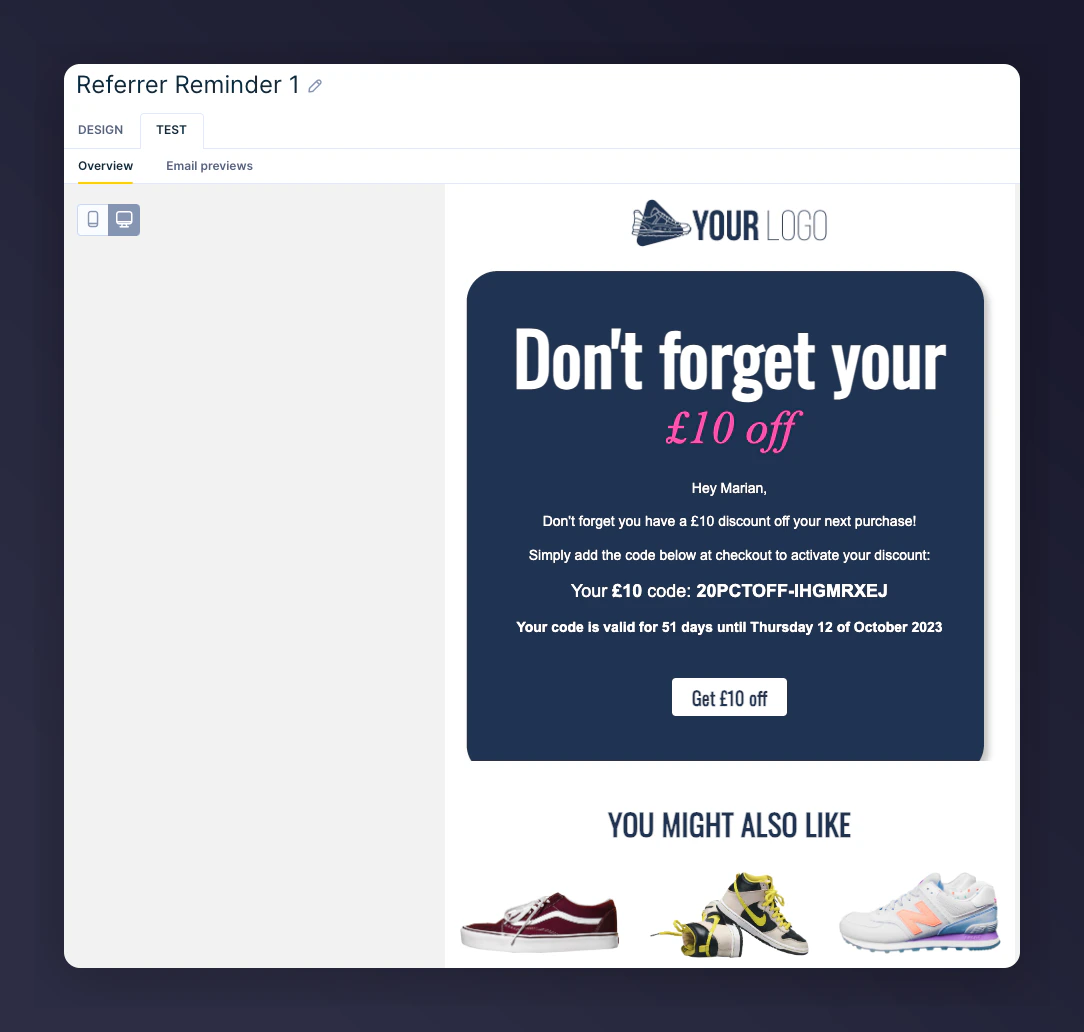
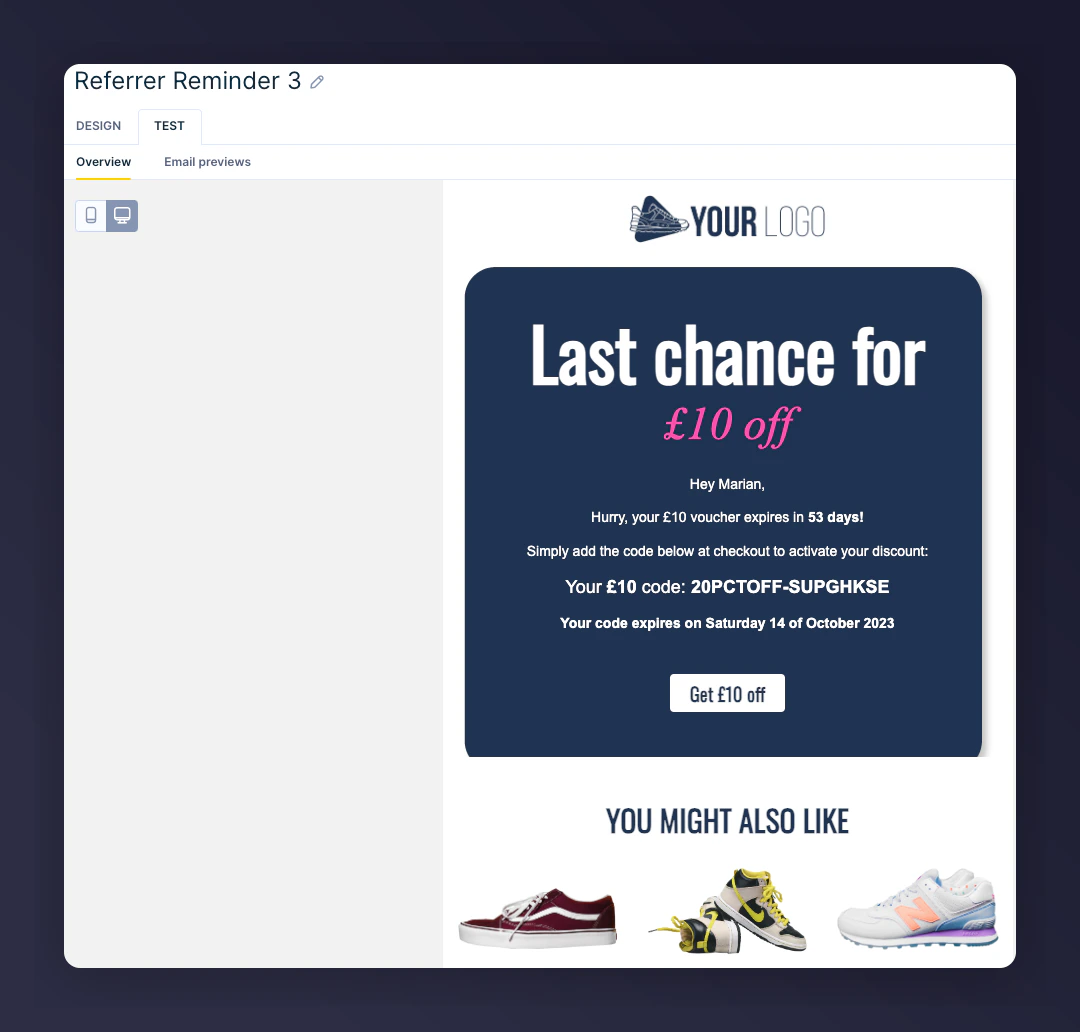
### Step 3: Test the email
1. Open email **Design**, go to **Test** tab
2. Filter and select a customer who matches the event trigger
3. Preview with live values
### Useful Jinja variables
| Jinja Syntax | Description | Example |
| -------------------------------------------------------------------------------- | ------------------------------------- | -------------------------- |
| `{% if customer.first_name %}{{customer.first_name}}{% else %}there{% endif %}` | Customer's first name with fallback | "Ryder" or "there" |
| `{{ event.referrer_reward }}` | Referrer's reward display text | £15 or 30% |
| `{{ event.coupon_code }}` | Referrer's unique coupon code | 10USDOFF-RXAAURVZ |
| `{{ ((event.coupon_expiry \| to_timestamp - time) / (24*60*60)) \| int }}` | Days left until coupon expiry | 8 days |
| `{{ event.coupon_expiry \| to_timestamp \| from_timestamp('%A, %d of %B %Y') }}` | Formatted expiry date | Wednesday, 19 of July 2023 |
| `{{ event.call_to_action_url }}` | Destination URL to redeem the voucher | mention-me.com |
### Step 3: Test the email
1. Open email **Design**, go to **Test** tab
2. Filter and select a customer who matches the event trigger
3. Preview with live values

 ### Step 4: Activate the scenario
1. Review and finalize designs
2. Click **Start** to activate
### Step 4: Activate the scenario
1. Review and finalize designs
2. Click **Start** to activate
