> ## Documentation Index
> Fetch the complete documentation index at: https://docs.mention-me.com/llms.txt
> Use this file to discover all available pages before exploring further.
# Start from a template
> The fastest way to a populated dashboard.
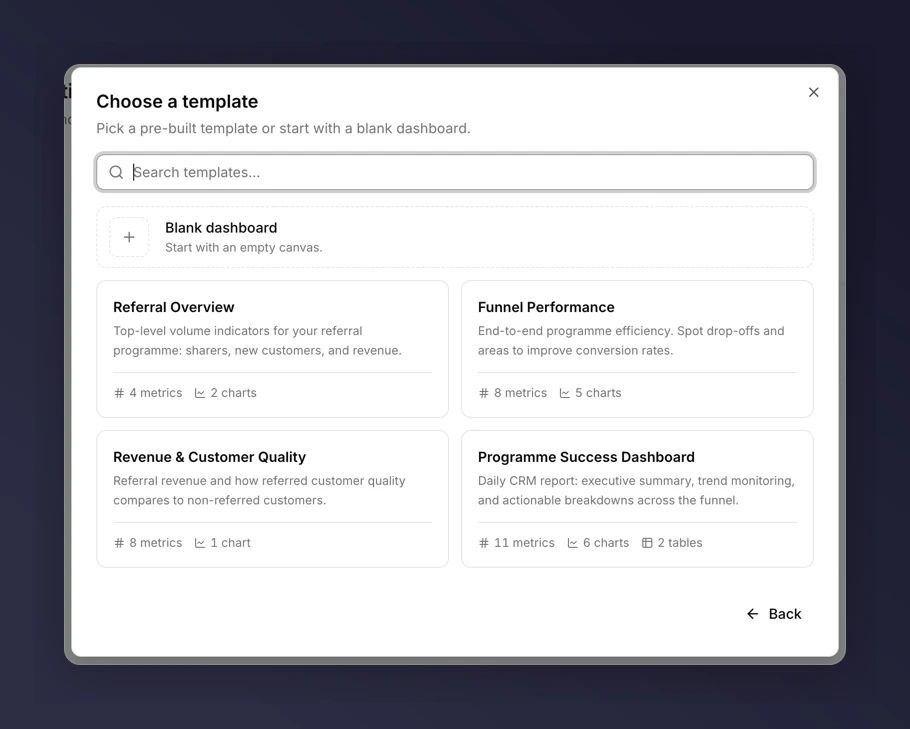
Five pre-built templates cover the most common questions teams ask. Picking one gives you a fully assembled dashboard you can customise afterwards.
 ## Create from a template
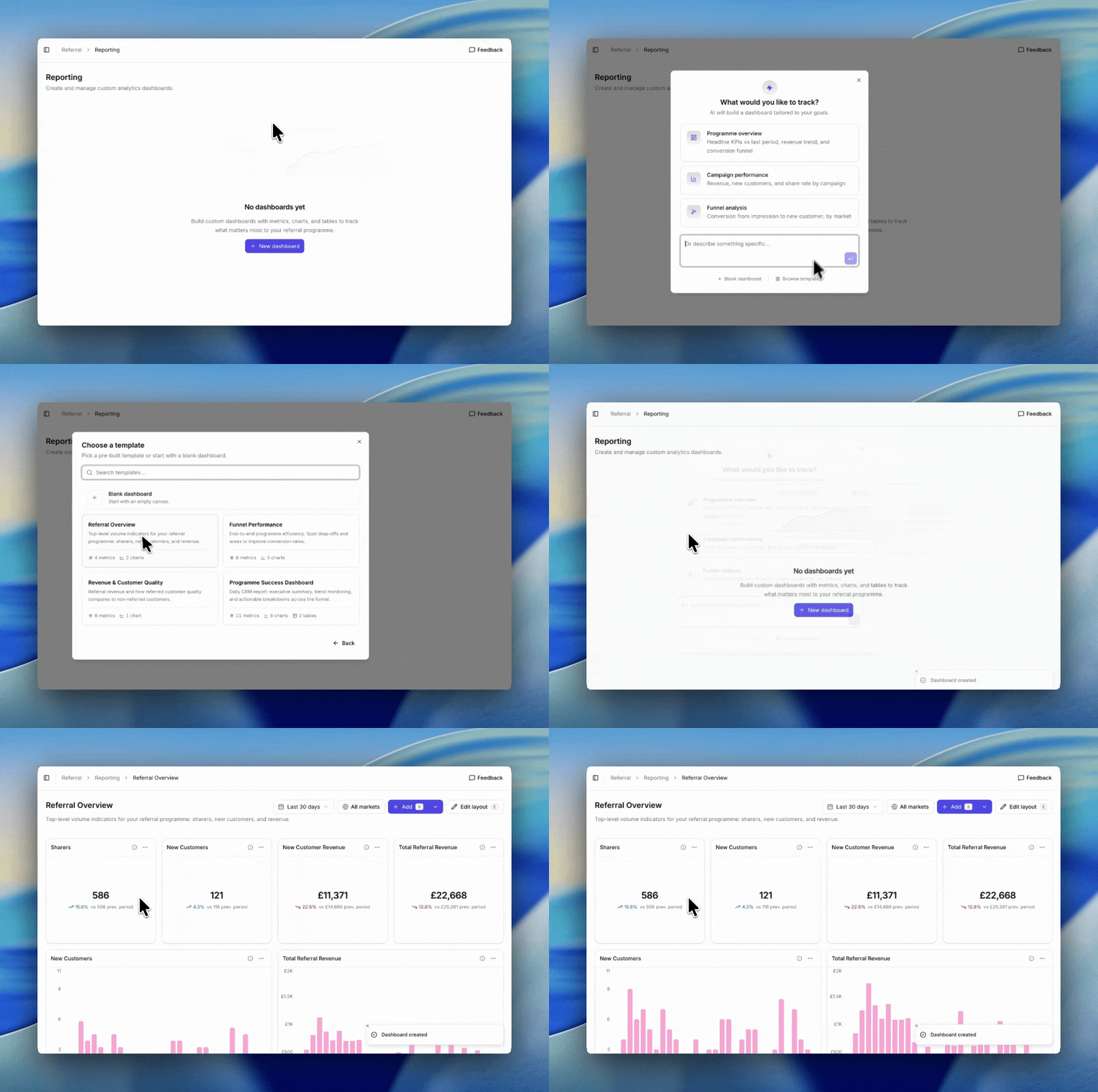
1. Go to **Referral → Reporting**.
2. Click **New dashboard**.
3. Click **Browse templates** underneath the AI prompt box.
4. Pick a template and click it. The dashboard is created and opens immediately.
## Create from a template
1. Go to **Referral → Reporting**.
2. Click **New dashboard**.
3. Click **Browse templates** underneath the AI prompt box.
4. Pick a template and click it. The dashboard is created and opens immediately.
 ## The five templates
* **Referral Overview**. Top-level volume indicators: sharers, new customers, and revenue.
* **Funnel Performance**. End-to-end programme efficiency. Spot drop-offs and areas to improve.
* **Revenue & Customer Quality**. Referral revenue plus a side-by-side of referred versus non-referred customer quality.
* **Programme Success Dashboard**. Daily CRM report: executive summary, trend monitoring, actionable breakdowns.
* **Industry Benchmarking Dashboard**. Performance against your industry benchmark across the full funnel. Only useful if your category is benchmarked.
For a deeper look at what each template contains, see the [templates catalogue](/knowledge-v2/referral/reporting/reference/templates-catalogue).
## After you create it
Templates are starting points, not fixed layouts. Once the dashboard is created you can:
* Add, edit, or remove tiles.
* Change the time period and filters.
* Rename the dashboard.
* Rearrange the grid. See [editing the layout](/knowledge-v2/referral/reporting/building-dashboards/editing-layout).
Changes you make do not affect the template itself or any other dashboards.
## When to reach for which template
For a daily pulse check, **Programme Success**. For exec-facing commercial updates, **Revenue & Customer Quality**. For peer comparison, **Industry Benchmarking** (if your category is eligible). For a first dashboard with no specific question yet, **Referral Overview**. See the full [templates catalogue](/knowledge-v2/referral/reporting/reference/templates-catalogue) for what each one contains.
## The five templates
* **Referral Overview**. Top-level volume indicators: sharers, new customers, and revenue.
* **Funnel Performance**. End-to-end programme efficiency. Spot drop-offs and areas to improve.
* **Revenue & Customer Quality**. Referral revenue plus a side-by-side of referred versus non-referred customer quality.
* **Programme Success Dashboard**. Daily CRM report: executive summary, trend monitoring, actionable breakdowns.
* **Industry Benchmarking Dashboard**. Performance against your industry benchmark across the full funnel. Only useful if your category is benchmarked.
For a deeper look at what each template contains, see the [templates catalogue](/knowledge-v2/referral/reporting/reference/templates-catalogue).
## After you create it
Templates are starting points, not fixed layouts. Once the dashboard is created you can:
* Add, edit, or remove tiles.
* Change the time period and filters.
* Rename the dashboard.
* Rearrange the grid. See [editing the layout](/knowledge-v2/referral/reporting/building-dashboards/editing-layout).
Changes you make do not affect the template itself or any other dashboards.
## When to reach for which template
For a daily pulse check, **Programme Success**. For exec-facing commercial updates, **Revenue & Customer Quality**. For peer comparison, **Industry Benchmarking** (if your category is eligible). For a first dashboard with no specific question yet, **Referral Overview**. See the full [templates catalogue](/knowledge-v2/referral/reporting/reference/templates-catalogue) for what each one contains.