> ## Documentation Index
> Fetch the complete documentation index at: https://docs.mention-me.com/llms.txt
> Use this file to discover all available pages before exploring further.
# How to Duplicate a Campaign or Version
> Copy a whole campaign, or a single version, to a new draft you can edit without affecting the original.
Duplicating gives you an editable copy as a new draft, leaving the original untouched. You can duplicate a whole campaign or a single version.
## Duplicate a Campaign
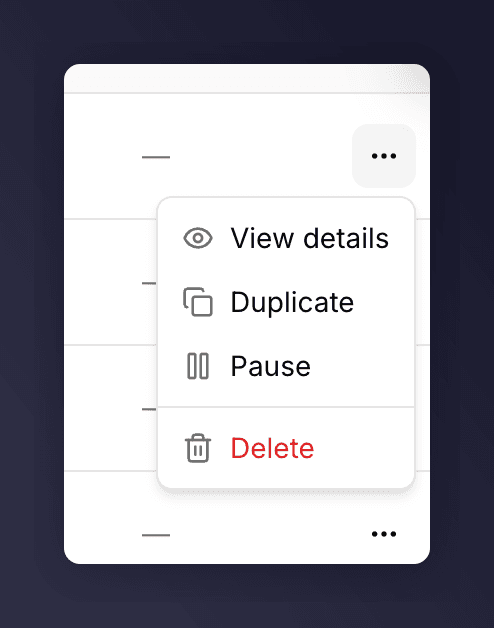
On the [campaigns list](/knowledge-v2/referral/campaigns/browse/the-campaigns-list), open a campaign's actions menu and choose **Duplicate**. Mention Me creates a new draft campaign from it.
 ## Duplicate a Version
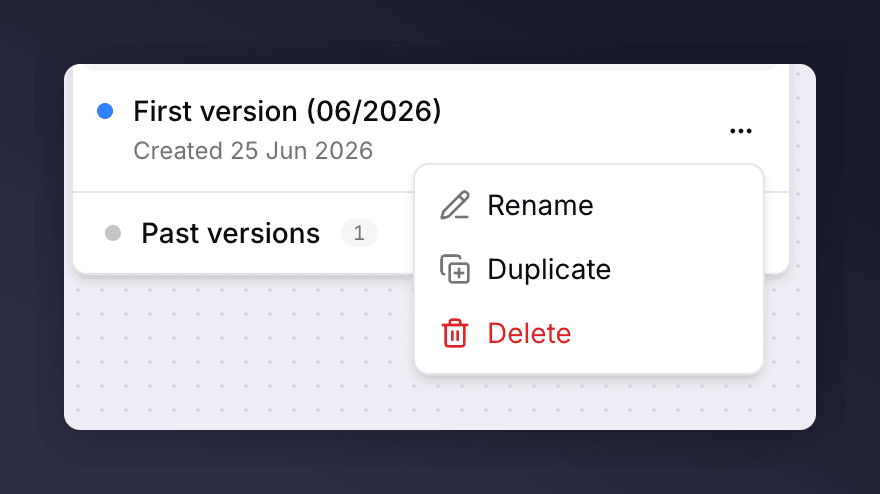
Inside a campaign, open the version picker, find the version, and choose **Duplicate** from its actions menu. The copy is created as a new draft.
## Duplicate a Version
Inside a campaign, open the version picker, find the version, and choose **Duplicate** from its actions menu. The copy is created as a new draft.
 You can also start a new version from an existing one when you create it: pick **A previous setup** in the Create version dialog. See [set up a version](/knowledge-v2/referral/campaigns/manage/set-up-a-version).