> ## Documentation Index
> Fetch the complete documentation index at: https://docs.mention-me.com/llms.txt
> Use this file to discover all available pages before exploring further.
# How to Mark or Remove a Gaming Suspicion
> Flag a customer as suspected of gaming, or clear an existing flag.
The **Suspected of gaming** flag is a manual flag on the customer record, set independently from any automatic fraud detection. When set, a yellow banner appears at the top of their profile and a **Suspected of gaming** pill is added to the side panel.
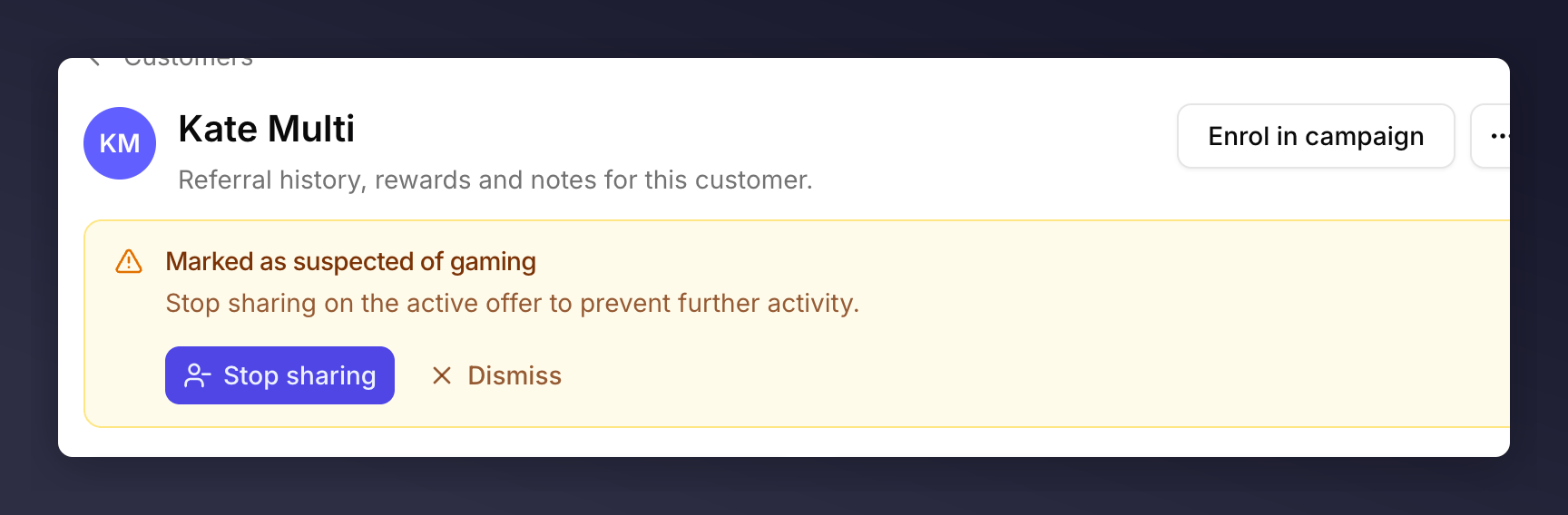 The same menu item handles both directions. Its label flips between **Mark as suspicious** and **Remove suspicion** depending on the customer's current state.
## Mark as Suspicious
Use this when you want to record a manual suspicion of gaming on the customer, separate from anything the automatic checks have flagged. Typical reasons:
* A pattern across multiple customers you've spotted yourself.
* An escalation from another team (support, legal, finance).
* A test you're running on how downstream behaviour handles suspect customers.
Find the customer via the [Customers list](/knowledge-v2/customers/browse/customer-list).
Click **…** next to **Enrol in campaign**.
The same menu item handles both directions. Its label flips between **Mark as suspicious** and **Remove suspicion** depending on the customer's current state.
## Mark as Suspicious
Use this when you want to record a manual suspicion of gaming on the customer, separate from anything the automatic checks have flagged. Typical reasons:
* A pattern across multiple customers you've spotted yourself.
* An escalation from another team (support, legal, finance).
* A test you're running on how downstream behaviour handles suspect customers.
Find the customer via the [Customers list](/knowledge-v2/customers/browse/customer-list).
Click **…** next to **Enrol in campaign**.
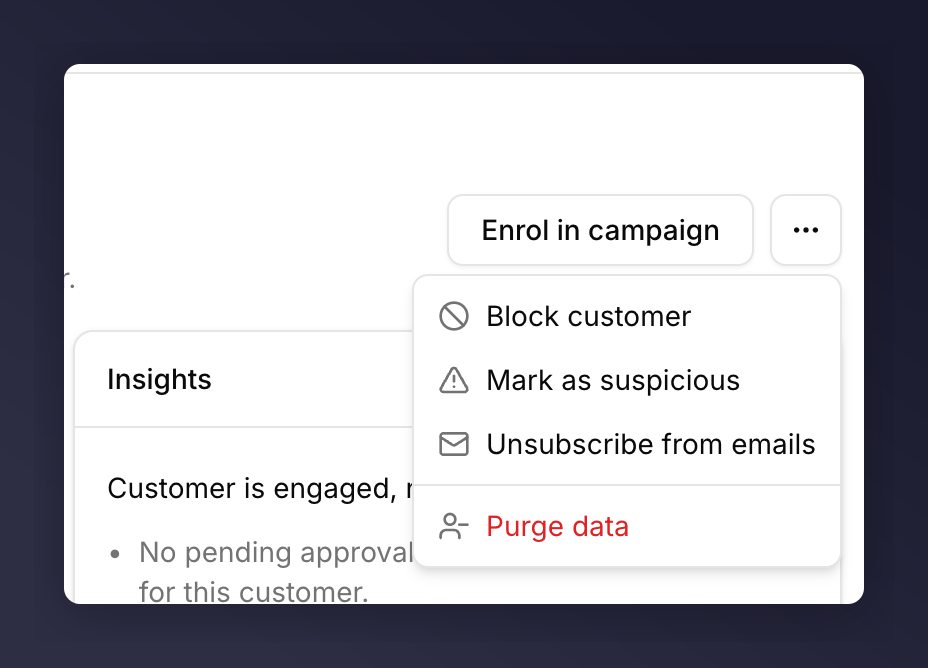 A **Marked as suspicious** toast confirms it. The banner appears and the **Suspected of gaming** pill is added to the side panel.
## Remove Suspicion
Available only when the customer is currently marked as suspicious. Use it when you've reviewed the activity and concluded the flag is no longer warranted.
Find the customer via the [Customers list](/knowledge-v2/customers/browse/customer-list).
Click **…** next to **Enrol in campaign**.
A **Marked as suspicious** toast confirms it. The banner appears and the **Suspected of gaming** pill is added to the side panel.
## Remove Suspicion
Available only when the customer is currently marked as suspicious. Use it when you've reviewed the activity and concluded the flag is no longer warranted.
Find the customer via the [Customers list](/knowledge-v2/customers/browse/customer-list).
Click **…** next to **Enrol in campaign**.
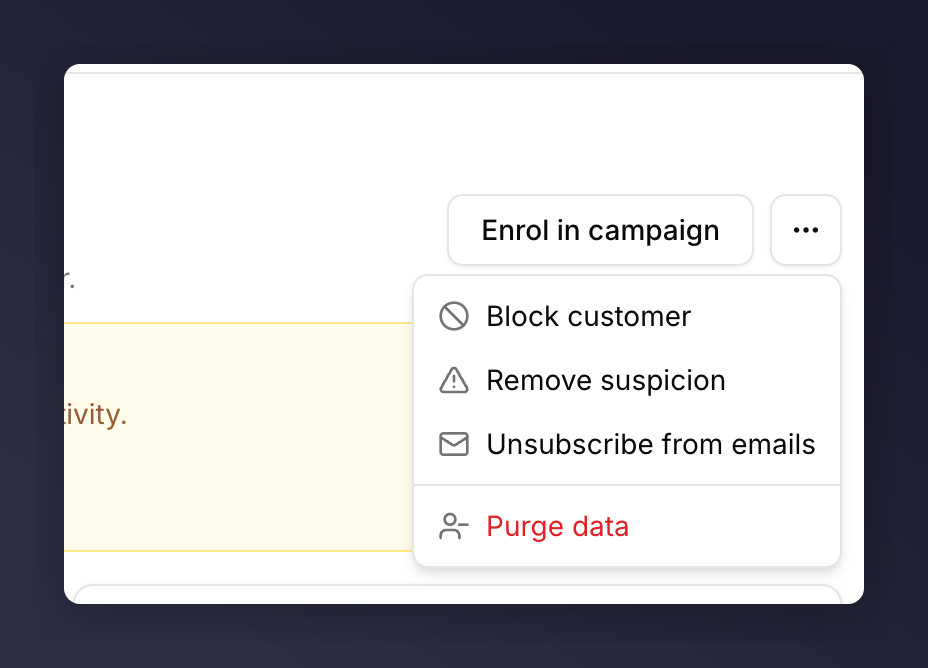 A **Suspicion removed** toast confirms it. The banner disappears and the pill clears.
## Dismiss vs Remove Suspicion
The banner has its own **Dismiss** button. That **clears the banner only**. The underlying flag stays on the profile and the pill stays in the side panel. Use **Remove suspicion** if you genuinely want the flag gone.
## See Also
The next step beyond a soft flag: stop sharing entirely.
The separate, automatic flagging path, unrelated to this manual flag.
A **Suspicion removed** toast confirms it. The banner disappears and the pill clears.
## Dismiss vs Remove Suspicion
The banner has its own **Dismiss** button. That **clears the banner only**. The underlying flag stays on the profile and the pill stays in the side panel. Use **Remove suspicion** if you genuinely want the flag gone.
## See Also
The next step beyond a soft flag: stop sharing entirely.
The separate, automatic flagging path, unrelated to this manual flag.