> ## Documentation Index
> Fetch the complete documentation index at: https://docs.mention-me.com/llms.txt
> Use this file to discover all available pages before exploring further.
# How to Move a Customer Between Campaigns
> Switch a customer to a different campaign, or roll them forward to the latest offer in the same programme.
You typically move customers between campaigns when:
* A campaign has ended and you want existing referrers in the next one.
* The customer's locale, segment, or status no longer matches the campaign they're in.
* A customer was enrolled in the wrong campaign by accident.
## Move to a Different Campaign
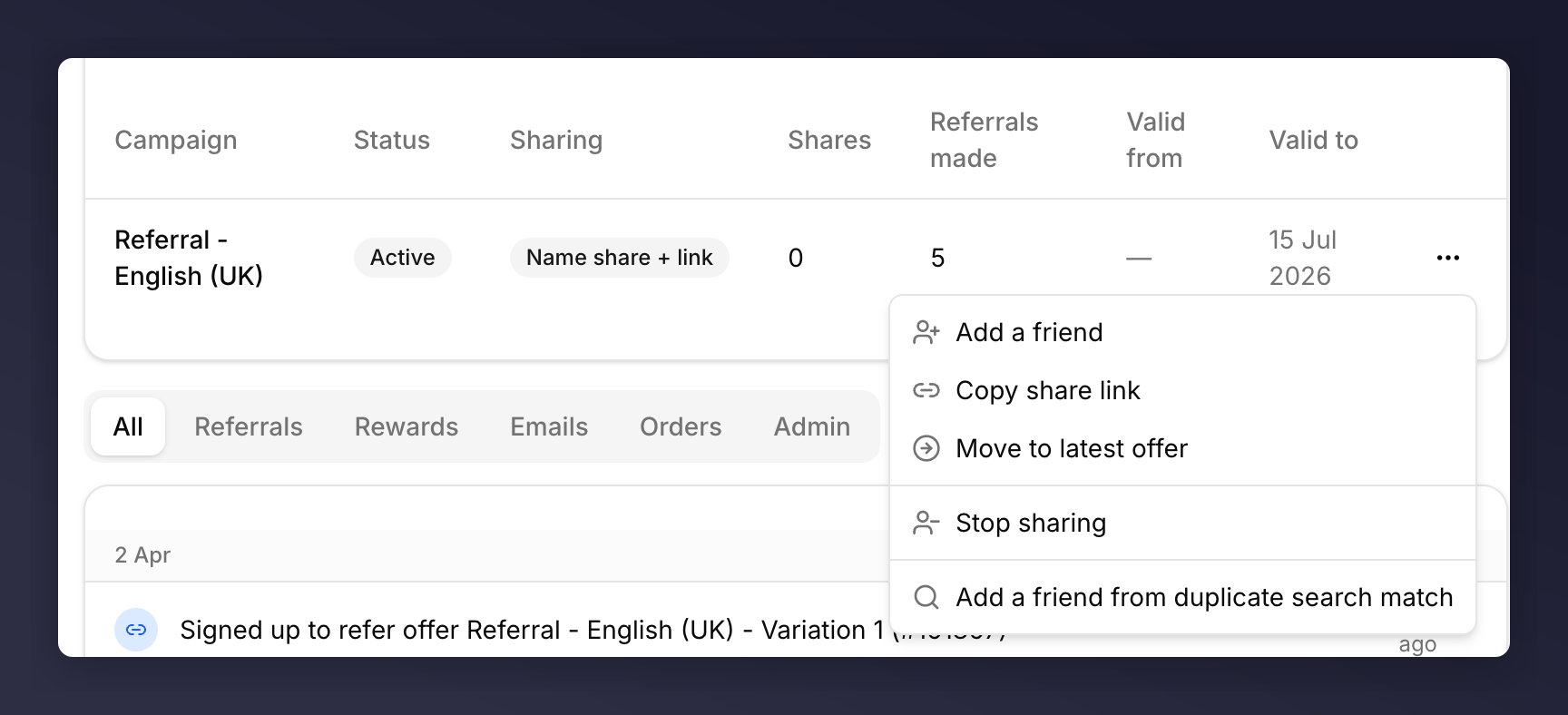
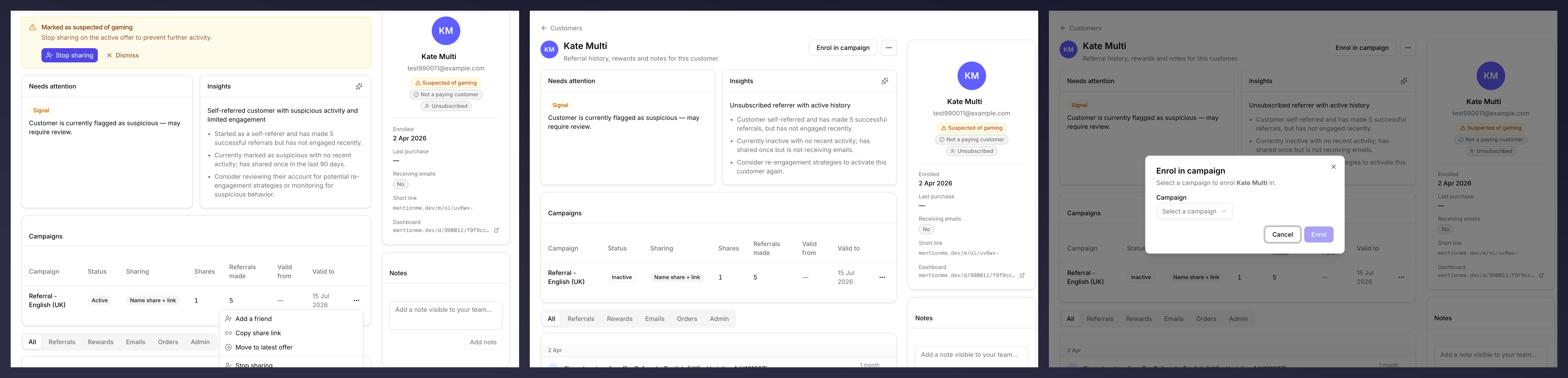
Find the customer, open the profile, scroll to the **Campaigns** table. Open the **…** menu on the current campaign and choose **Stop sharing**.
 Click **Enrol in campaign** at the top of the profile. Pick the destination campaign and continue.
 ## Roll Forward to the Latest Offer
If you only want to bump the customer to the newest version of the same programme, the campaign row menu has a shortcut.
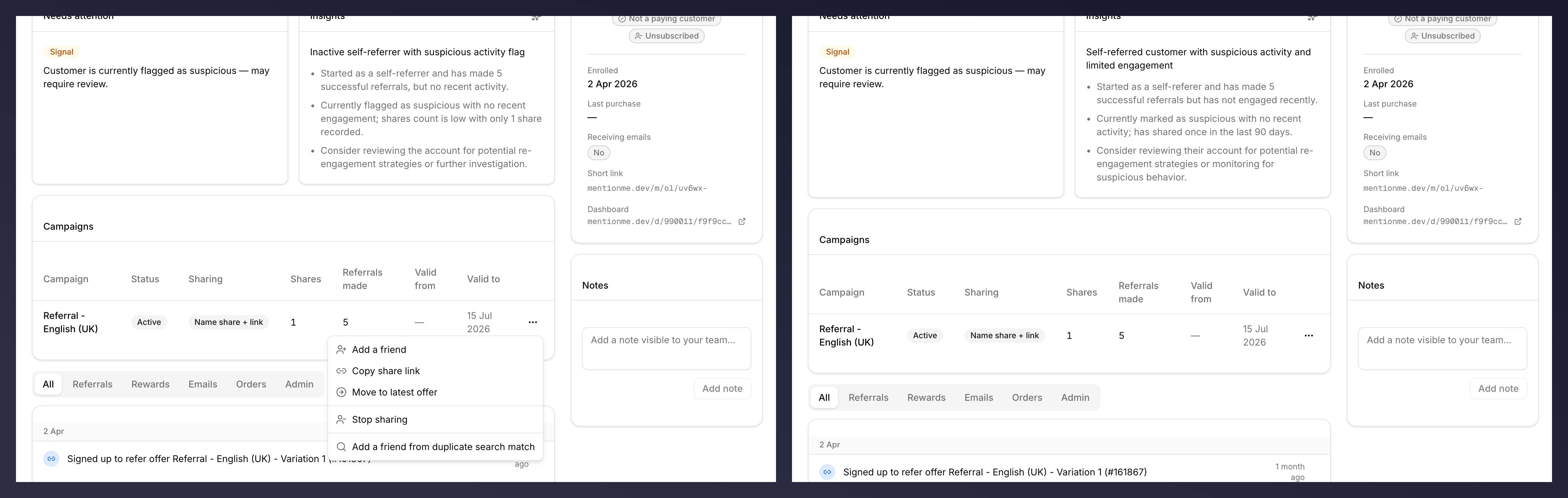
On the **Campaigns** table on the profile, open the **…** menu on the current campaign.
A toast confirms they've been rolled forward.
## Roll Forward to the Latest Offer
If you only want to bump the customer to the newest version of the same programme, the campaign row menu has a shortcut.
On the **Campaigns** table on the profile, open the **…** menu on the current campaign.
A toast confirms they've been rolled forward.
 ## What Changes for the Customer
* Their existing referrals stay attached to the customer record. They aren't re-attributed to the new campaign.
* New shares from this point use the new campaign's offer, reward, and rules.
* Their **Short link** stays the same.
## See Also
Same menu, different action.
Anatomy of the Campaigns table.
## What Changes for the Customer
* Their existing referrals stay attached to the customer record. They aren't re-attributed to the new campaign.
* New shares from this point use the new campaign's offer, reward, and rules.
* Their **Short link** stays the same.
## See Also
Same menu, different action.
Anatomy of the Campaigns table.