> ## Documentation Index
> Fetch the complete documentation index at: https://docs.mention-me.com/llms.txt
> Use this file to discover all available pages before exploring further.
# How to Block a Customer
> Stop a customer from sharing and from receiving new offers, without deleting their data.
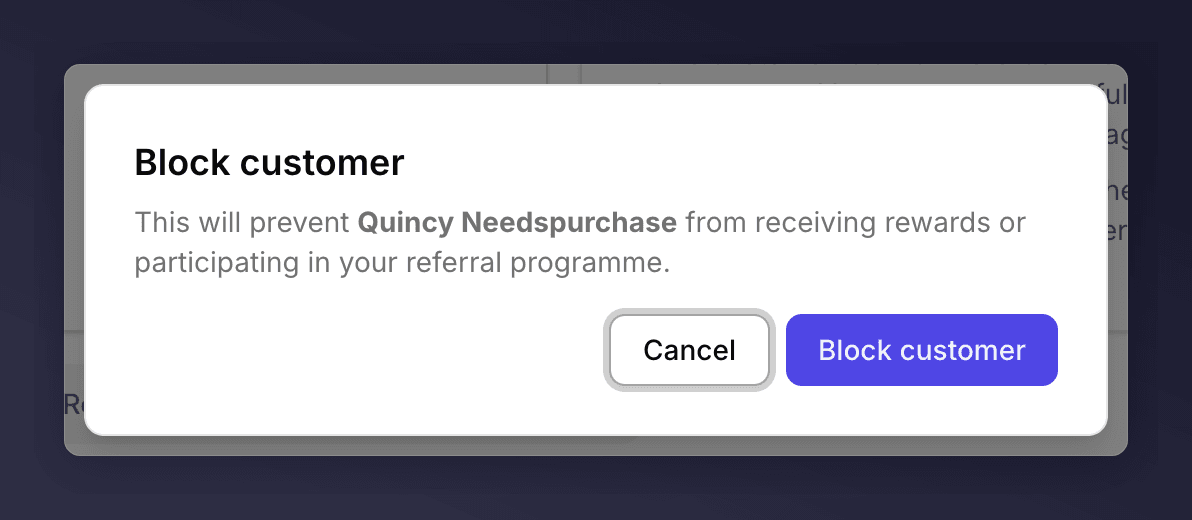
Blocking is the strongest non-destructive action on a customer. Use it when you don't want a person in your programme anymore, usually after a confirmed gaming case or a serious complaint, but you don't want to wipe their history.
Blocked customers stay in your account so you can audit their activity. If you also want to remove their personal data, [purge them](/knowledge-v2/customers/common-tasks/delete-customer-data) after blocking.
## What Blocking Does
* Disables their active campaigns. **Stop sharing** is applied to every campaign on their profile.
* Stops them from being re-enrolled, manually or via SFTP / CSV.
* Leaves the profile readable, with a **Blocked** status pill on the side panel.
Blocking does **not** unsubscribe them from emails. Email opt-in is a separate flag. If you also want to stop emails, use [Unsubscribe from emails](/knowledge-v2/customers/common-tasks/turn-off-emails) on the same actions menu.
## Steps
Search for the customer and open their profile.
Click the **…** menu next to **Enrol in campaign** at the top right of the profile.
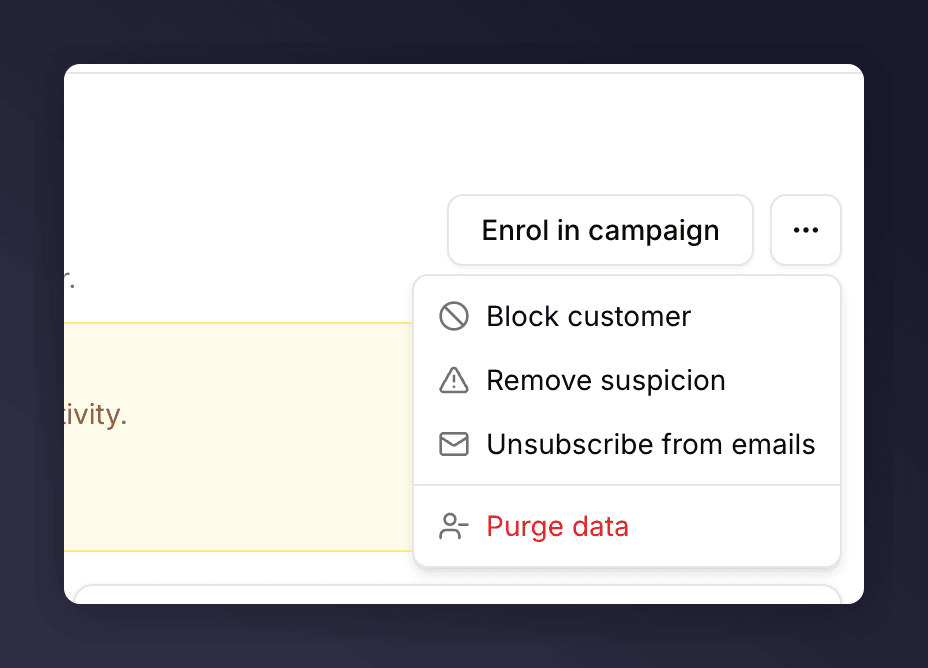 Confirm the action.
 ## Unblock
Open the same profile, open the **…** menu, and choose **Unblock customer**. The status pill clears and the customer can be re-enrolled as normal.
## See Also
Clear the soft flag without going as far as blocking.
A destructive GDPR delete.
## Unblock
Open the same profile, open the **…** menu, and choose **Unblock customer**. The status pill clears and the customer can be re-enrolled as normal.
## See Also
Clear the soft flag without going as far as blocking.
A destructive GDPR delete.