> ## Documentation Index
> Fetch the complete documentation index at: https://docs.mention-me.com/llms.txt
> Use this file to discover all available pages before exploring further.
# How to Edit Default Copy
> Open programme copy and tag copy. Editing still finishes in Classic.
export const ClassicCallout = ({children, href, linkLabel = "Open the Classic guide"}) =>
This finishes in Classic.
{children ? <> {children} : null}
{href ? <>
{" "}
For the setup steps, see {linkLabel}.
: null}
;
export const AdminOnly = () =>
This page is visible to organisation admins only. If you
see You do not have permission to view this page, ask an
admin to make the change, or to invite you with the Admin role.
;
**Early access.** Default copy is rolling out gradually. If you do not see
**Settings > Default copy**, it is not enabled for your workspace yet.
Open **Settings > Default copy** to reach the wording campaigns inherit, and the wording in the Mention Me UI your tags show.
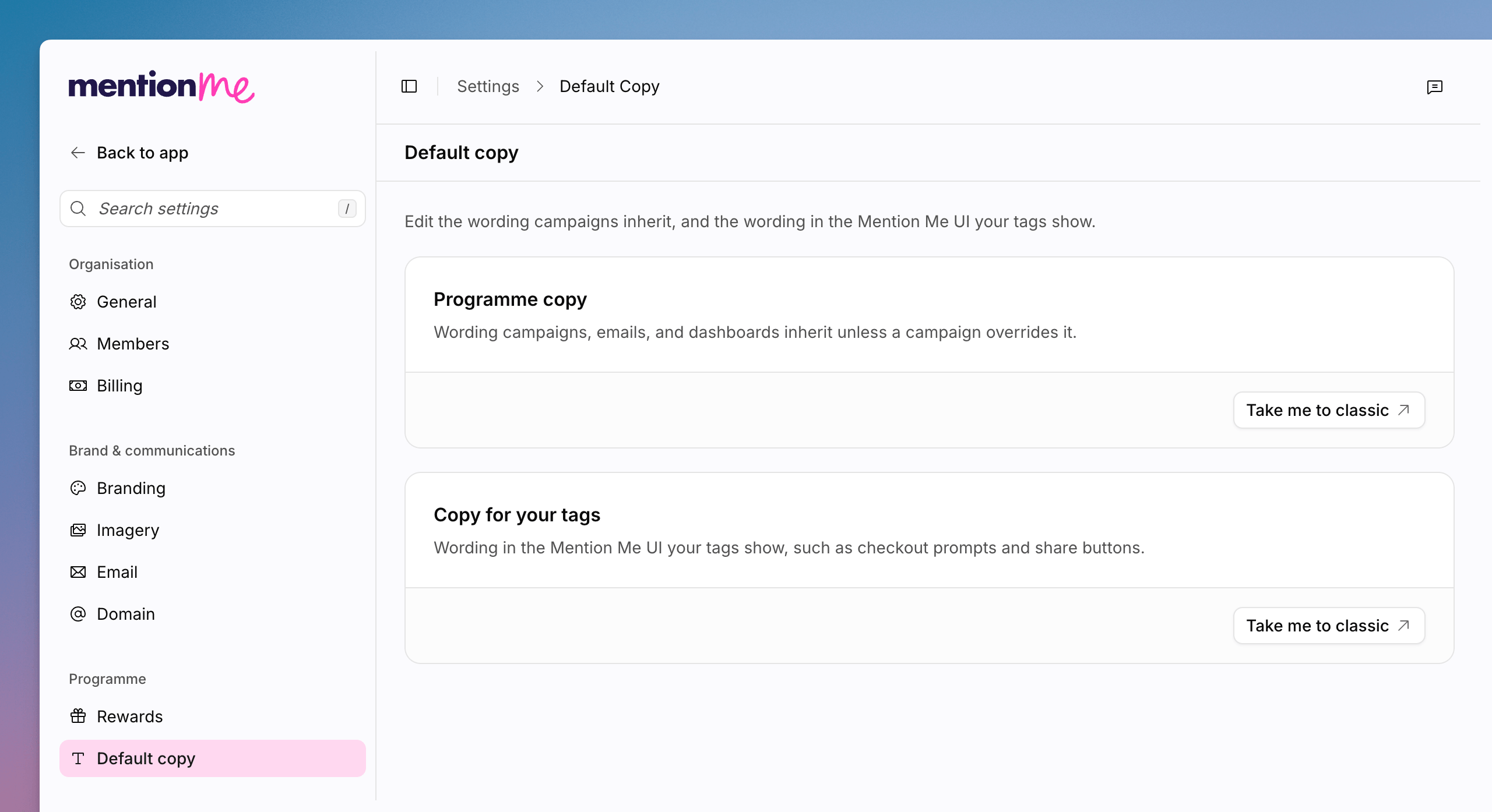 Both cards open Mention Me Classic. There is no editor for this copy on
app.mention-me.com yet. For the Classic guide, see [Managing
Copy](/knowledge/referral/design/managing-copy).
## Open Programme Copy
Programme copy is the wording campaigns, emails, and dashboards inherit unless a campaign overrides it.
Go to **Settings > Default copy**.
On **Programme copy**, click **Take me to classic**.
## Open Copy for Your Tags
Tag copy is the wording in the Mention Me UI your tags show, such as checkout prompts and share buttons.
On **Copy for your tags**, click **Take me to classic**.
## See Also
Themes and fonts that sit alongside default copy.
Classic documentation for programme and journey copy.
Both cards open Mention Me Classic. There is no editor for this copy on
app.mention-me.com yet. For the Classic guide, see [Managing
Copy](/knowledge/referral/design/managing-copy).
## Open Programme Copy
Programme copy is the wording campaigns, emails, and dashboards inherit unless a campaign overrides it.
Go to **Settings > Default copy**.
On **Programme copy**, click **Take me to classic**.
## Open Copy for Your Tags
Tag copy is the wording in the Mention Me UI your tags show, such as checkout prompts and share buttons.
On **Copy for your tags**, click **Take me to classic**.
## See Also
Themes and fonts that sit alongside default copy.
Classic documentation for programme and journey copy.