> ## Documentation Index
> Fetch the complete documentation index at: https://docs.mention-me.com/llms.txt
> Use this file to discover all available pages before exploring further.
# How to Update Organisation General Settings
> Change the workspace name, URL slug, and homepage for your organisation.
export const AdminOnly = () =>
This page is visible to organisation admins only. If you
see You do not have permission to view this page, ask an
admin to make the change, or to invite you with the Admin role.
;
Open **Settings > General** to update the workspace name, the slug in your app URL, and the homepage Mention Me uses for campaign call-to-action links.
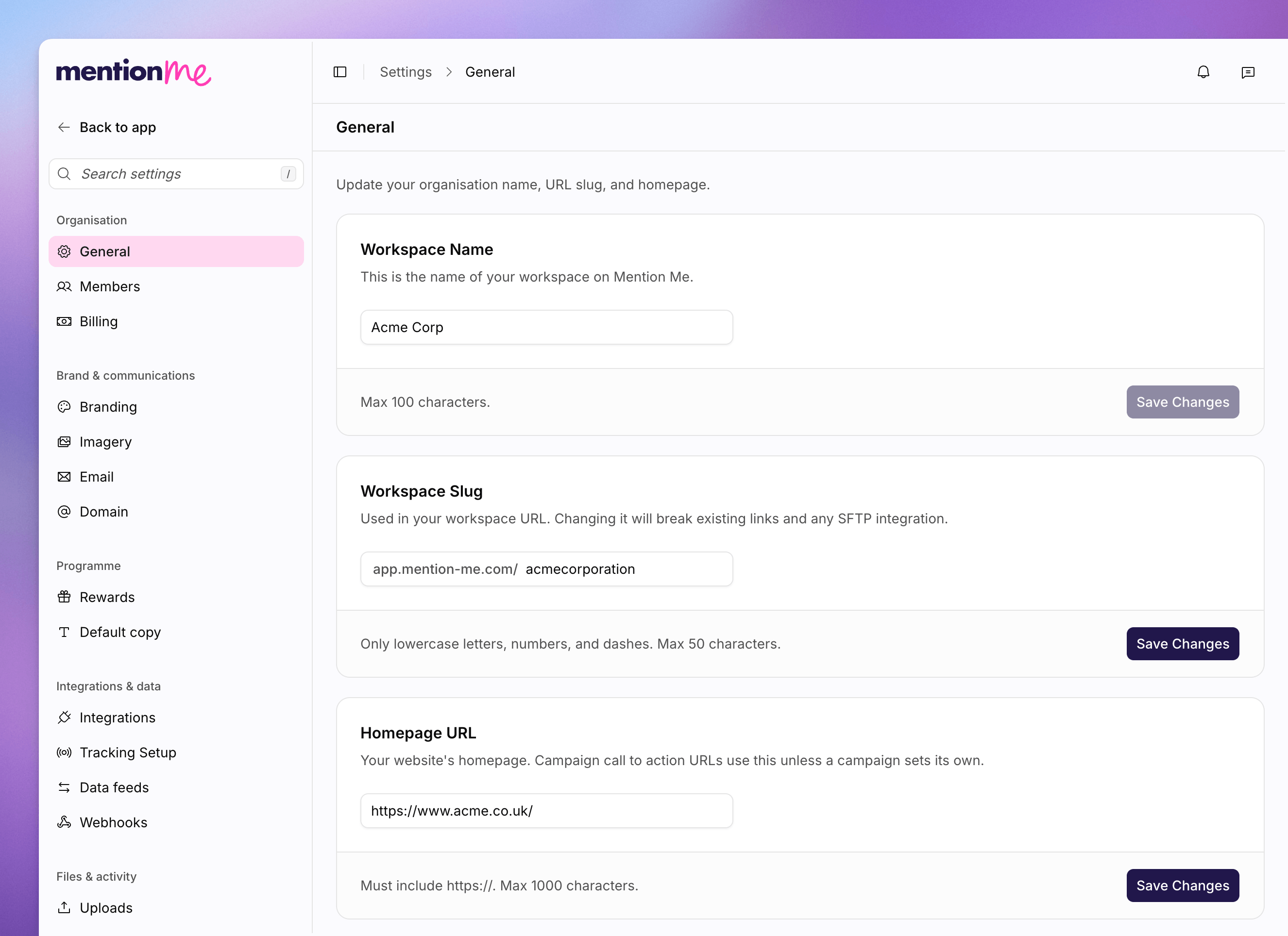 ## Change the Workspace Name
Go to **Settings > General**.
In **Workspace Name**, type the name people should see for this
organisation. Maximum 100 characters.
Click **Save Changes**.
## Change the Workspace Slug
The slug is the last part of `app.mention-me.com/your-slug`. Use lowercase letters, numbers, and dashes only, up to 50 characters.
Changing the slug breaks existing bookmarks and any SFTP integration that uses
the current URL. Only change it if you are sure you need to.
In **Workspace Slug**, type the new slug.
Click **Save Changes**. In **Change workspace slug?**, type the current slug
to confirm, then click **Change slug**.
## Set the Homepage URL
Campaign call-to-action URLs use this address unless a campaign sets its own.
In **Homepage URL**, enter the full address, including `https://`. Maximum
1000 characters.
Click **Save Changes**.
## Delete the Workspace
**Delete Workspace** permanently removes the workspace, its custom domain, and all associated data. You must type the organisation name to confirm. This cannot be undone.
## See Also
Invite colleagues and set roles for this workspace.
Change the subdomain customers use for referral links.
## Change the Workspace Name
Go to **Settings > General**.
In **Workspace Name**, type the name people should see for this
organisation. Maximum 100 characters.
Click **Save Changes**.
## Change the Workspace Slug
The slug is the last part of `app.mention-me.com/your-slug`. Use lowercase letters, numbers, and dashes only, up to 50 characters.
Changing the slug breaks existing bookmarks and any SFTP integration that uses
the current URL. Only change it if you are sure you need to.
In **Workspace Slug**, type the new slug.
Click **Save Changes**. In **Change workspace slug?**, type the current slug
to confirm, then click **Change slug**.
## Set the Homepage URL
Campaign call-to-action URLs use this address unless a campaign sets its own.
In **Homepage URL**, enter the full address, including `https://`. Maximum
1000 characters.
Click **Save Changes**.
## Delete the Workspace
**Delete Workspace** permanently removes the workspace, its custom domain, and all associated data. You must type the organisation name to confirm. This cannot be undone.
## See Also
Invite colleagues and set roles for this workspace.
Change the subdomain customers use for referral links.