> ## Documentation Index
> Fetch the complete documentation index at: https://docs.mention-me.com/llms.txt
> Use this file to discover all available pages before exploring further.
# How to View Billing and Invoices
> See the plan, invoices, and payment details for your organisation on the Billing page.
export const AdminOnly = () =>
This page is visible to organisation admins only. If you
see You do not have permission to view this page, ask an
admin to make the change, or to invite you with the Admin role.
;
Open **Settings > Billing** to see the plan, invoices, and payment details for this organisation.
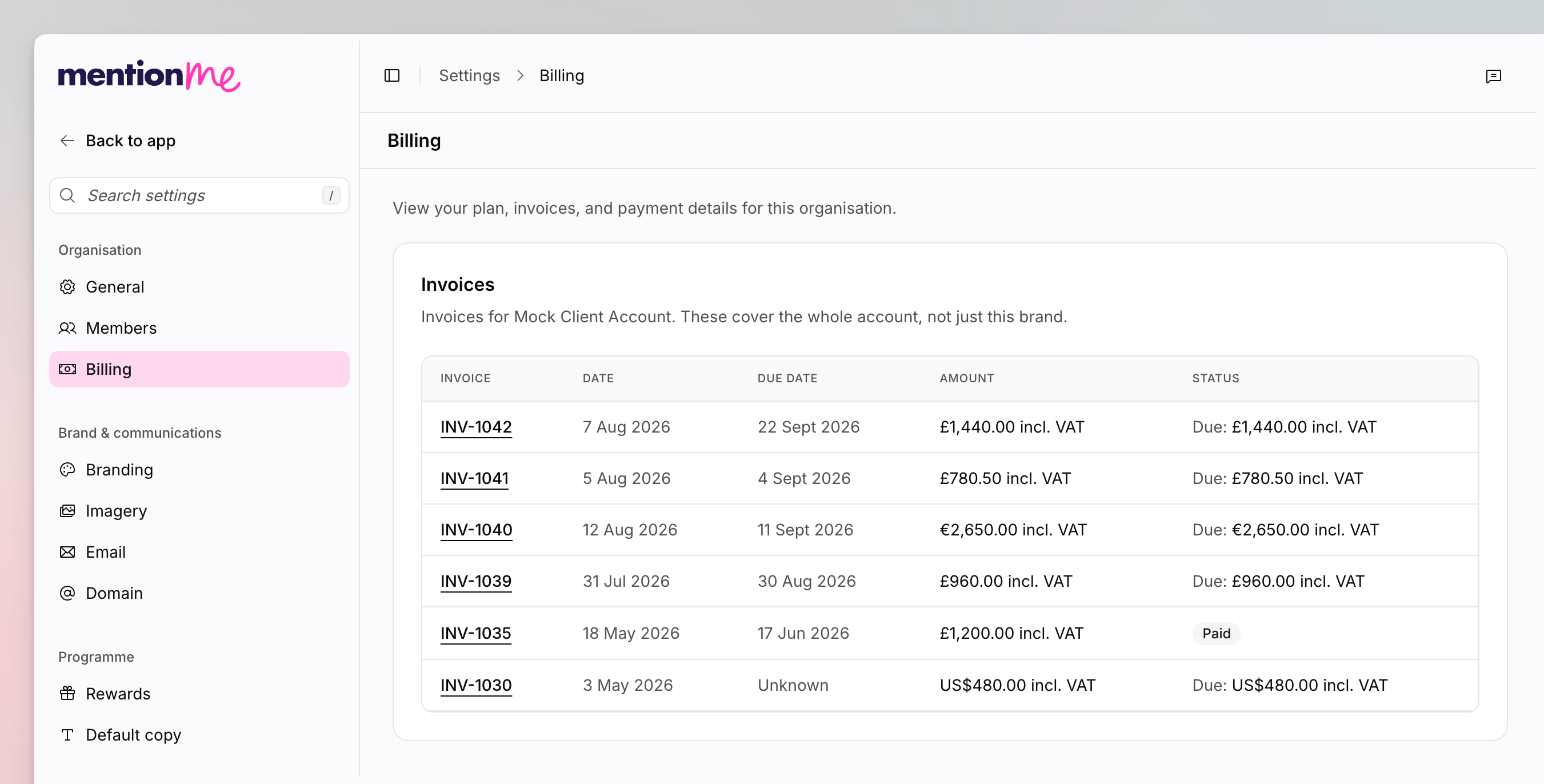 Invoices are scoped to the **client account**, which can cover more than one brand. The invoices table says so in its description.
For billing questions, email [accounts@mention-me.com](mailto:accounts@mention-me.com).
## View Invoices
Go to **Settings > Billing**.
The **Invoices** table lists invoice number, date, due date, amount
(including VAT), and status. Invoices are hidden on the demo environment
until you go live.
If there are no invoices yet, the empty state tells you to contact accounts. If a load fails, you will see **We couldn't load your invoices**.
## Manage a Card or Plan
**Early access.** Self-serve card and plan management (the Stripe **Manage
Billing** flow) is rolling out gradually. If you do not see those cards, email
accounts instead.
When this is enabled for your workspace:
* **Billing** shows the card brand and last four digits, or **No payment method**. Click **Manage Billing** to open the Stripe portal.
* **Your subscription** lists product plans so you can change them.
Starter is the free Product Referral plan. Pro is the paid plan. Some reporting tiles show an **Unlock this data** prompt until the workspace is on Pro.
## See Also
Control who can open admin-only pages such as Billing.
Back to every settings page.
Invoices are scoped to the **client account**, which can cover more than one brand. The invoices table says so in its description.
For billing questions, email [accounts@mention-me.com](mailto:accounts@mention-me.com).
## View Invoices
Go to **Settings > Billing**.
The **Invoices** table lists invoice number, date, due date, amount
(including VAT), and status. Invoices are hidden on the demo environment
until you go live.
If there are no invoices yet, the empty state tells you to contact accounts. If a load fails, you will see **We couldn't load your invoices**.
## Manage a Card or Plan
**Early access.** Self-serve card and plan management (the Stripe **Manage
Billing** flow) is rolling out gradually. If you do not see those cards, email
accounts instead.
When this is enabled for your workspace:
* **Billing** shows the card brand and last four digits, or **No payment method**. Click **Manage Billing** to open the Stripe portal.
* **Your subscription** lists product plans so you can change them.
Starter is the free Product Referral plan. Pro is the paid plan. Some reporting tiles show an **Unlock this data** prompt until the workspace is on Pro.
## See Also
Control who can open admin-only pages such as Billing.
Back to every settings page.