> ## Documentation Index
> Fetch the complete documentation index at: https://docs.mention-me.com/llms.txt
> Use this file to discover all available pages before exploring further.
# How to Set Up Webhooks
> Send programme events to your own HTTPS endpoints from Settings.
**Early access.** Webhooks is rolling out gradually. If you do not see
**Settings > Webhooks**, it is not enabled for your workspace yet.
Open **Settings > Webhooks** to send programme events to HTTPS endpoints you control.
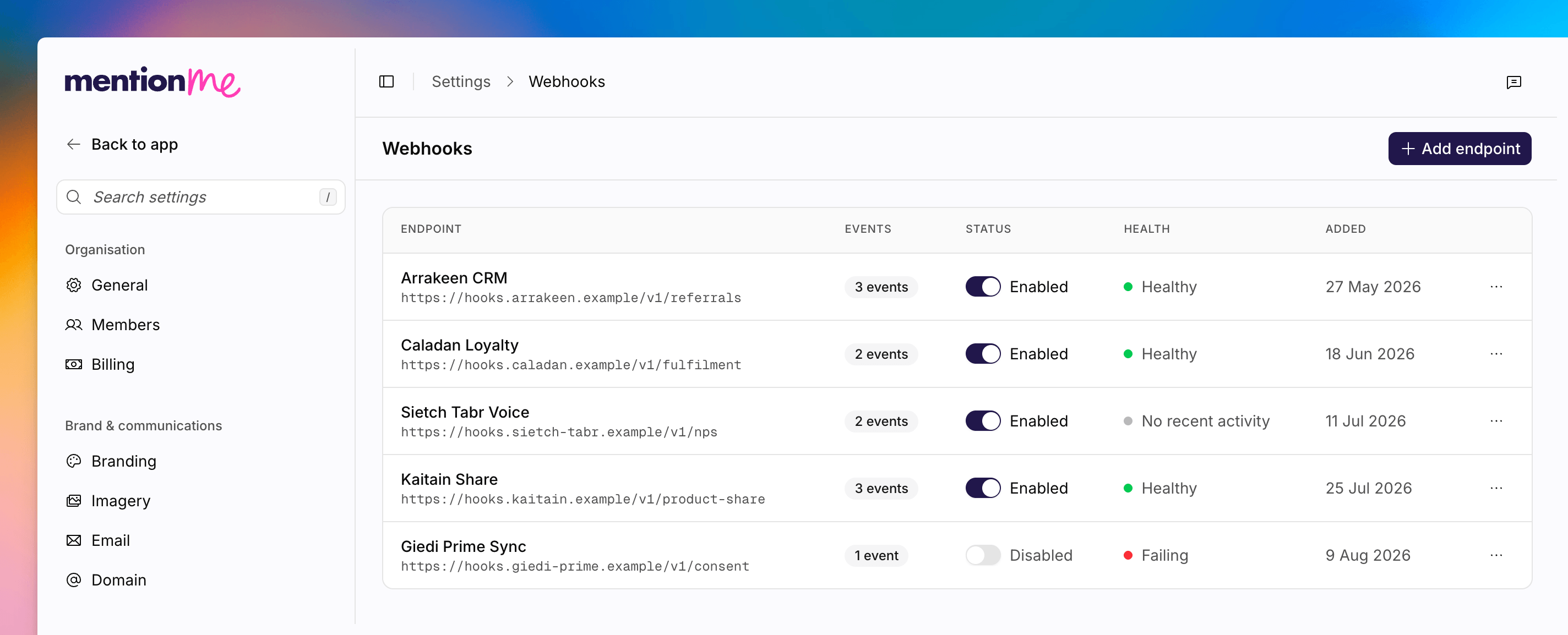 The payload reference, signing, and event catalogue live on the API tab: [Webhooks overview](/api-reference/webhooks/overview). This page is the how-to for creating destinations in the app.
## Add an Endpoint
If none exist yet, you will see **No endpoints configured**. Click **Add your first endpoint**.
Go to **Settings > Webhooks**.
Click the add endpoint action. Enter an **Endpoint URL**. It must use HTTPS.
Add an optional **Name**. Tick the **Events to send**. They are grouped as
Registration, Fulfilment, NPS, and Other.
Optionally add a **Signing secret** so you can verify that requests came
from Mention Me. On edit, use **Replace** to rotate it. The stored value is
never shown in full.
Save the destination. Use the table's test delivery action to confirm your
endpoint receives events.
## Event Groups
| Group | Examples |
| ---------------- | -------------------------------------------------------------------------- |
| **Registration** | Referrer registration, referee registration, referee qualification started |
| **Fulfilment** | Referrer fulfilment, referee fulfilment, IFA fulfilment |
| **NPS** | NPS score, NPS feedback |
| **Other** | Marketing consent, product share events, propensity-to-refer segment |
## See Also
Event payloads, security, and how to verify signatures.
Inspect inbound tracking events if a webhook is not what you expected.
The payload reference, signing, and event catalogue live on the API tab: [Webhooks overview](/api-reference/webhooks/overview). This page is the how-to for creating destinations in the app.
## Add an Endpoint
If none exist yet, you will see **No endpoints configured**. Click **Add your first endpoint**.
Go to **Settings > Webhooks**.
Click the add endpoint action. Enter an **Endpoint URL**. It must use HTTPS.
Add an optional **Name**. Tick the **Events to send**. They are grouped as
Registration, Fulfilment, NPS, and Other.
Optionally add a **Signing secret** so you can verify that requests came
from Mention Me. On edit, use **Replace** to rotate it. The stored value is
never shown in full.
Save the destination. Use the table's test delivery action to confirm your
endpoint receives events.
## Event Groups
| Group | Examples |
| ---------------- | -------------------------------------------------------------------------- |
| **Registration** | Referrer registration, referee registration, referee qualification started |
| **Fulfilment** | Referrer fulfilment, referee fulfilment, IFA fulfilment |
| **NPS** | NPS score, NPS feedback |
| **Other** | Marketing consent, product share events, propensity-to-refer segment |
## See Also
Event payloads, security, and how to verify signatures.
Inspect inbound tracking events if a webhook is not what you expected.