> ## Documentation Index
> Fetch the complete documentation index at: https://docs.mention-me.com/llms.txt
> Use this file to discover all available pages before exploring further.
# How to Manage SSH Keys and Allowed IPs
> Control which SSH keys and IP addresses can connect to the Mention Me SFTP server.
export const AdminOnly = () =>
This page is visible to organisation admins only. If you
see You do not have permission to view this page, ask an
admin to make the change, or to invite you with the Admin role.
;
Open **Settings > Data feeds > SSH keys & IP** to manage SSH keys and allowed IPs for your SFTP connection.
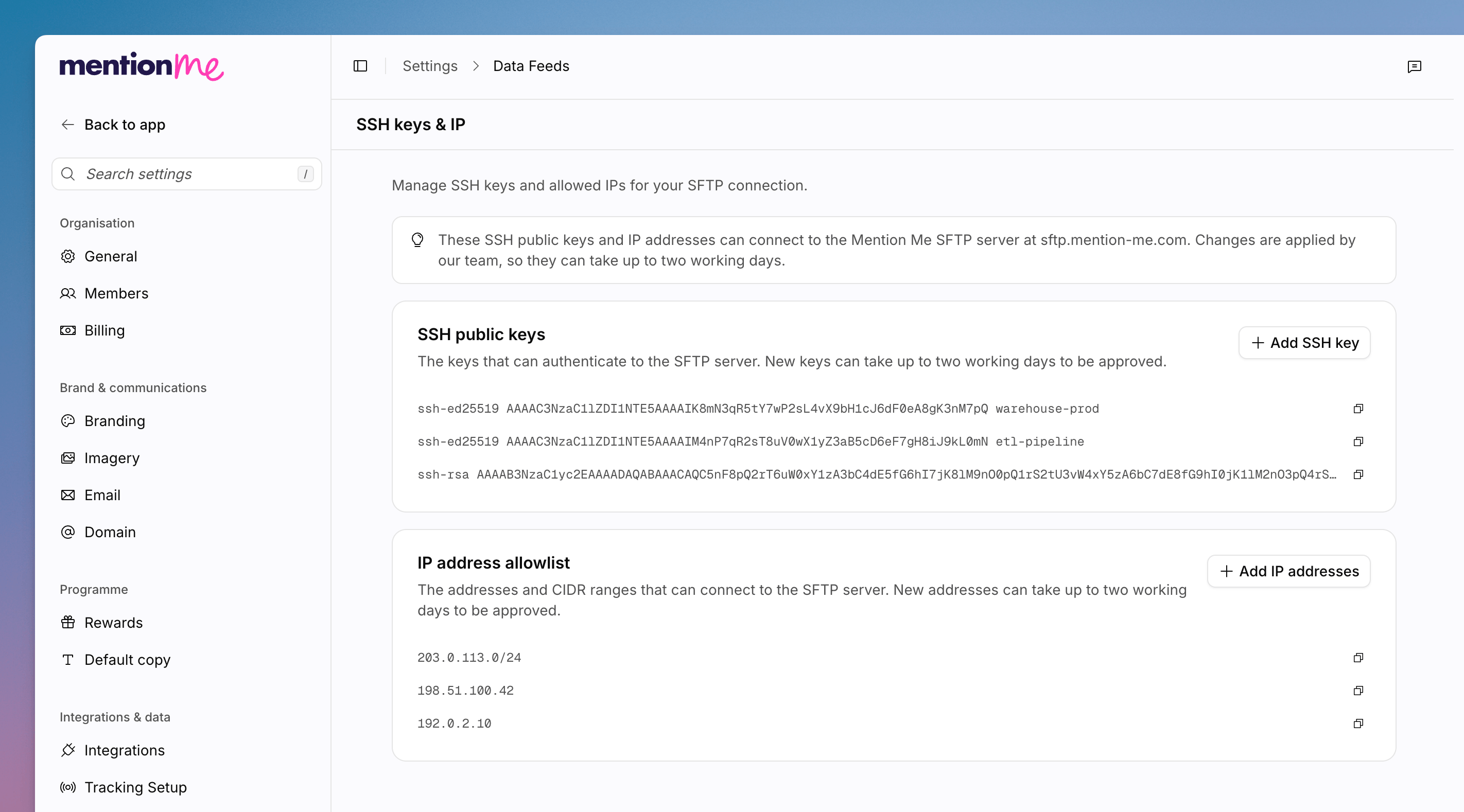 These SSH public keys and IP addresses can connect to the Mention Me SFTP server at `sftp.mention-me.com`. Changes are applied by the Mention Me team, so they can take up to **two working days**.
Go to **Settings > Data feeds**, then **SSH keys & IP**.
Under **SSH public keys**, click **Add SSH key**. New keys can take up to
two working days to be approved. Use **Copy SSH key** when you need the
value elsewhere.
Under **IP address allowlist**, click **Add IP addresses**. You can add
addresses or CIDR ranges. New entries can take up to two working days to be
approved. Use **Copy IP range** when you need the value elsewhere.
Empty states are **No SSH keys yet** and **No IP addresses yet**.
Authentication on Classic's SFTP page is documented in [SFTP Setup](/knowledge/integrations/data-feeds/sftp-setup). Prefer this Settings page when you are working in app.mention-me.com.
## See Also
Add inbound and outbound SFTP folders.
PGP keys for encrypted feeds.
These SSH public keys and IP addresses can connect to the Mention Me SFTP server at `sftp.mention-me.com`. Changes are applied by the Mention Me team, so they can take up to **two working days**.
Go to **Settings > Data feeds**, then **SSH keys & IP**.
Under **SSH public keys**, click **Add SSH key**. New keys can take up to
two working days to be approved. Use **Copy SSH key** when you need the
value elsewhere.
Under **IP address allowlist**, click **Add IP addresses**. You can add
addresses or CIDR ranges. New entries can take up to two working days to be
approved. Use **Copy IP range** when you need the value elsewhere.
Empty states are **No SSH keys yet** and **No IP addresses yet**.
Authentication on Classic's SFTP page is documented in [SFTP Setup](/knowledge/integrations/data-feeds/sftp-setup). Prefer this Settings page when you are working in app.mention-me.com.
## See Also
Add inbound and outbound SFTP folders.
PGP keys for encrypted feeds.