> ## Documentation Index
> Fetch the complete documentation index at: https://docs.mention-me.com/llms.txt
> Use this file to discover all available pages before exploring further.
# Product Referral Tracking Settings
> Control how the referral token travels in shared links, and tag shared product traffic with UTM parameters, per campaign.
Tracking settings control how a shared product link carries its referral token, and how the traffic it drives is labelled in your analytics. They belong to the campaign, so each product referral campaign carries its own.
## Where to Find Them
On a product referral campaign, open the **Settings** control at the top right of the campaign page and choose **Campaign settings**. Where the campaign has nothing to pause or resume, Campaign settings is a plain button rather than a menu entry.
The dialog has two sections in its side nav: **Link tracking** and **UTM parameters**.
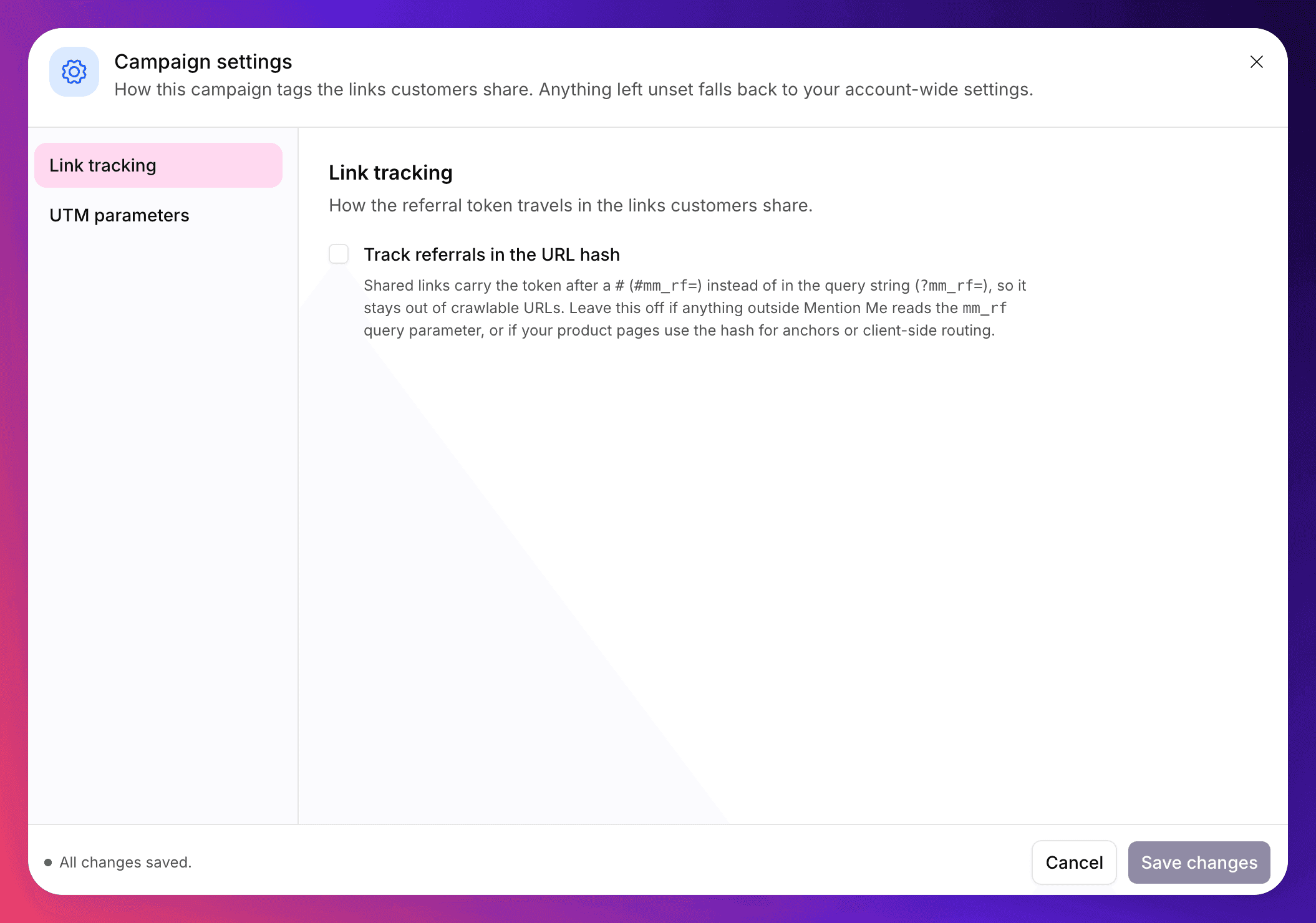 This is a different dialog from the [brand referral Campaign settings](/knowledge-app/referral/campaigns/brand-referral/campaign-settings) sheet. A product referral campaign has no referrer sharing and sends no email, so destination URLs, reply-to addresses and voucher options do not apply. Its settings dialog holds only these two sections.
## Link Tracking
**Track referrals in the URL hash.** By default, the referral token is added to shared product URLs as a query parameter (`?mm_rf=`). Turn this on and it goes after a `#` instead (`#mm_rf=`), which keeps it out of crawlable URLs.
Leave it off if:
* Anything outside Mention Me reads the `mm_rf` query parameter, for example a GA4 configuration you have set up to report on organic sharing.
* Your product pages use the URL hash for anchors or client-side routing, where an added fragment would interfere.
## UTM Parameters
**Add UTM parameters.** Appends UTM parameters to the links this campaign's customers share, so their traffic is attributed in your analytics rather than landing under direct or organic.
Turning it on reveals three fields:
| Field | What it says | Example |
| -------------- | ----------------------------------------- | --------------- |
| `utm_source` | Which platform the traffic came from | `mentionme` |
| `utm_medium` | What kind of link it was | `referral` |
| `utm_campaign` | Which activity to group the traffic under | `product-share` |
This is a different dialog from the [brand referral Campaign settings](/knowledge-app/referral/campaigns/brand-referral/campaign-settings) sheet. A product referral campaign has no referrer sharing and sends no email, so destination URLs, reply-to addresses and voucher options do not apply. Its settings dialog holds only these two sections.
## Link Tracking
**Track referrals in the URL hash.** By default, the referral token is added to shared product URLs as a query parameter (`?mm_rf=`). Turn this on and it goes after a `#` instead (`#mm_rf=`), which keeps it out of crawlable URLs.
Leave it off if:
* Anything outside Mention Me reads the `mm_rf` query parameter, for example a GA4 configuration you have set up to report on organic sharing.
* Your product pages use the URL hash for anchors or client-side routing, where an added fragment would interfere.
## UTM Parameters
**Add UTM parameters.** Appends UTM parameters to the links this campaign's customers share, so their traffic is attributed in your analytics rather than landing under direct or organic.
Turning it on reveals three fields:
| Field | What it says | Example |
| -------------- | ----------------------------------------- | --------------- |
| `utm_source` | Which platform the traffic came from | `mentionme` |
| `utm_medium` | What kind of link it was | `referral` |
| `utm_campaign` | Which activity to group the traffic under | `product-share` |
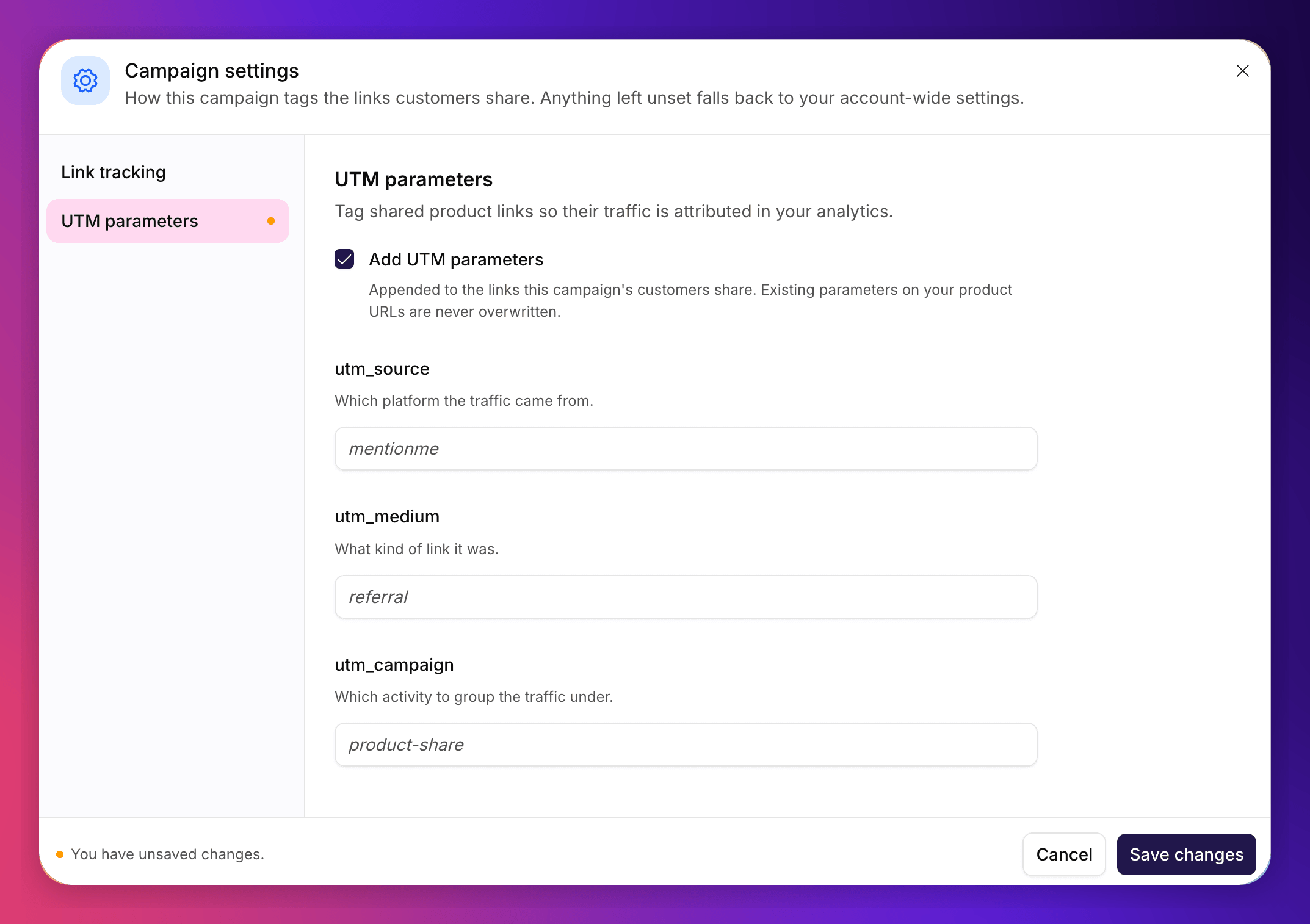 Parameters already present on your product URLs are never overwritten. If a product page URL already carries a `utm_source`, the shared link keeps yours.
## Clearing a Setting
Both settings are off unless this campaign turns them on, and the dialog only ever shows values this campaign has set. An empty field means the setting is not applied.
There is no separate "reset" action. **Blanking a field is how you clear it**, so:
* Clearing a UTM field removes it from the shared links this campaign produces.
* Switching **Add UTM parameters** off also clears all three UTM fields, rather than leaving values that would reappear if you switched it back on.
If you change a UTM value part-way through a campaign, links shared before the change keep the old parameters. Your analytics will show both, so plan a naming convention before you launch rather than adjusting it later.
## See Also
Wording, colour and size of the link on your product pages.
The tag that reads these settings.
When tracking isn't behaving as expected.
How the `mm_rf` parameter carries attribution.
Parameters already present on your product URLs are never overwritten. If a product page URL already carries a `utm_source`, the shared link keeps yours.
## Clearing a Setting
Both settings are off unless this campaign turns them on, and the dialog only ever shows values this campaign has set. An empty field means the setting is not applied.
There is no separate "reset" action. **Blanking a field is how you clear it**, so:
* Clearing a UTM field removes it from the shared links this campaign produces.
* Switching **Add UTM parameters** off also clears all three UTM fields, rather than leaving values that would reappear if you switched it back on.
If you change a UTM value part-way through a campaign, links shared before the change keep the old parameters. Your analytics will show both, so plan a naming convention before you launch rather than adjusting it later.
## See Also
Wording, colour and size of the link on your product pages.
The tag that reads these settings.
When tracking isn't behaving as expected.
How the `mm_rf` parameter carries attribution.