> ## Documentation Index
> Fetch the complete documentation index at: https://docs.mention-me.com/llms.txt
> Use this file to discover all available pages before exploring further.
# Campaign Settings
> Adjust a brand referral campaign's destination URLs, reply-to address, purchase details and advanced options.
**Campaign settings** holds the options that apply to a brand referral campaign as a whole, rather than to one version. Open the **Settings** control at the top of the campaign page and choose **Campaign settings**.
 ## What You Can Change
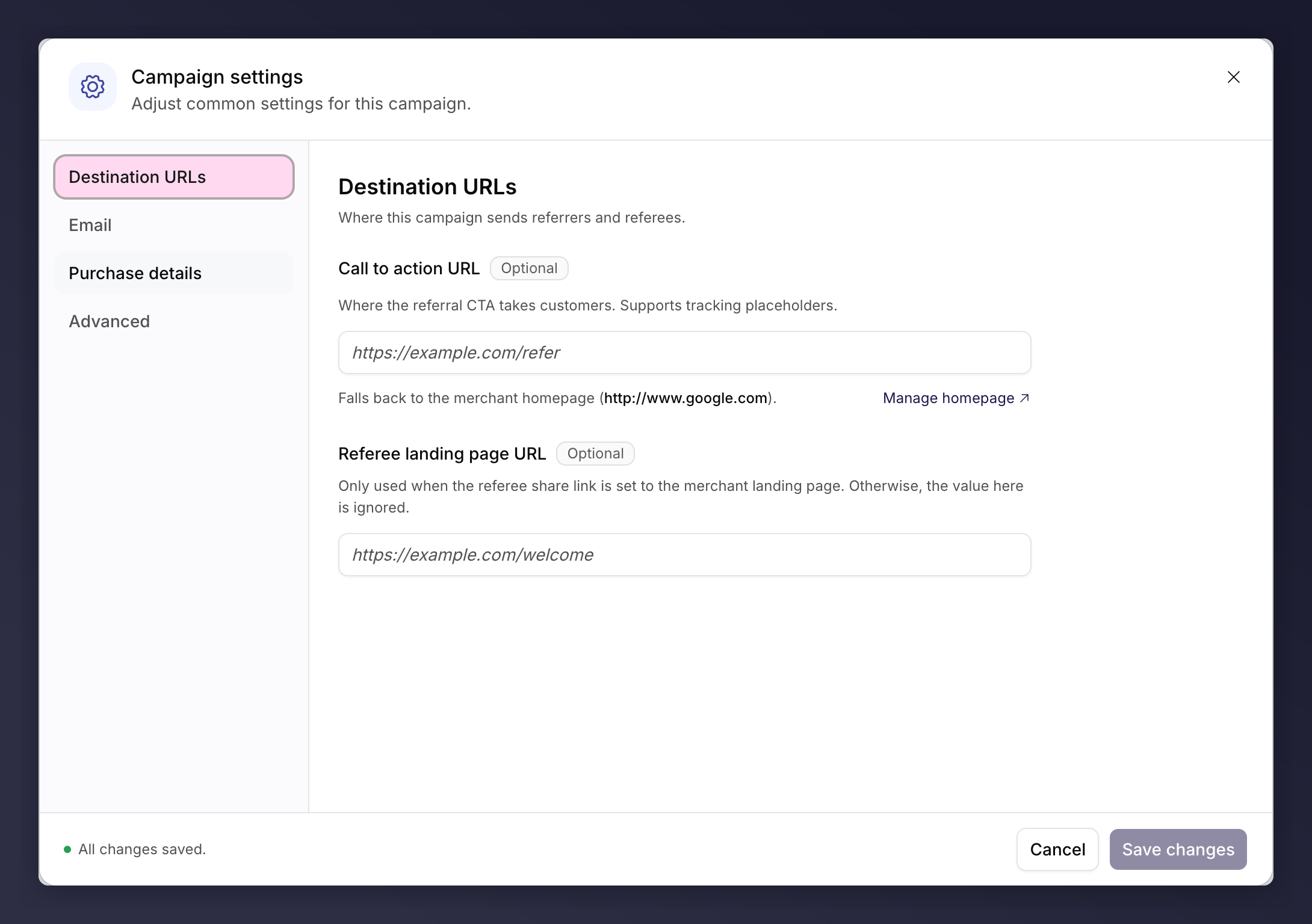
The dialog has four sections in its side nav. Every field is optional: leave one blank and the campaign falls back to your merchant default.
### Destination URLs
Where this campaign sends referrers and referees.
* **Call to action URL**. Where the referral call to action takes customers. Supports tracking placeholders.
* **Referee landing page URL**. Only used when the referee share link is set to the merchant landing page. Otherwise the value here is ignored.
### Email
* **Reply-to address**. Replies to emails sent by this campaign go here. Leave blank to use the merchant reply-to address.
### Purchase Details
* **Default order total value**. The default total value of an order, used by fraud rules that compare a referred purchase against it. It links across to the [fraud score weights](/knowledge-app/referral/campaigns/brand-referral/fraud-controls) that read it.
### Advanced
* **Serve by language, not locale**. Enable if you run several sites in the same language (for example en-GB and en-US) and are happy for this campaign to serve referees across all of them.
* **Voucher farming prevention**. When a referrer or referee looks suspicious, restrict voucher delivery to email only. Requires a fraud score in your approval rules.
## Saving
Click **Save changes**. The button stays disabled until you make a change.
## Pause and Resume
Pausing lives in the same **Settings** control. It stops the campaign from being promoted to new customers, while leaving existing referrals untouched. See [pause or resume a campaign](/knowledge-app/referral/campaigns/common-tasks/pause-or-resume-a-campaign).
If your account is on hold (for example a billing issue), the Resume option may
be unavailable. The paused notice still shows, but without a Resume button.
## See Also
Approval rules, auto-decline rules and fraud score weights.
What to watch once you are live.
## What You Can Change
The dialog has four sections in its side nav. Every field is optional: leave one blank and the campaign falls back to your merchant default.
### Destination URLs
Where this campaign sends referrers and referees.
* **Call to action URL**. Where the referral call to action takes customers. Supports tracking placeholders.
* **Referee landing page URL**. Only used when the referee share link is set to the merchant landing page. Otherwise the value here is ignored.
### Email
* **Reply-to address**. Replies to emails sent by this campaign go here. Leave blank to use the merchant reply-to address.
### Purchase Details
* **Default order total value**. The default total value of an order, used by fraud rules that compare a referred purchase against it. It links across to the [fraud score weights](/knowledge-app/referral/campaigns/brand-referral/fraud-controls) that read it.
### Advanced
* **Serve by language, not locale**. Enable if you run several sites in the same language (for example en-GB and en-US) and are happy for this campaign to serve referees across all of them.
* **Voucher farming prevention**. When a referrer or referee looks suspicious, restrict voucher delivery to email only. Requires a fraud score in your approval rules.
## Saving
Click **Save changes**. The button stays disabled until you make a change.
## Pause and Resume
Pausing lives in the same **Settings** control. It stops the campaign from being promoted to new customers, while leaving existing referrals untouched. See [pause or resume a campaign](/knowledge-app/referral/campaigns/common-tasks/pause-or-resume-a-campaign).
If your account is on hold (for example a billing issue), the Resume option may
be unavailable. The paused notice still shows, but without a Resume button.
## See Also
Approval rules, auto-decline rules and fraud score weights.
What to watch once you are live.