> ## Documentation Index
> Fetch the complete documentation index at: https://docs.mention-me.com/llms.txt
> Use this file to discover all available pages before exploring further.
# How to Connect Shopify
> Link a Shopify store from Settings in Mention Me.
Use this to connect a store from **Settings > Integrations**. You need a merchant admin role.
Installing the app, placing it on checkout and account pages, and connecting from Shopify Admin are in [How to Install the Mention Me Shopify App](/knowledge/shopify/app-installation). After that install, the store still needs to show as **Connected** here.
 ## From Settings
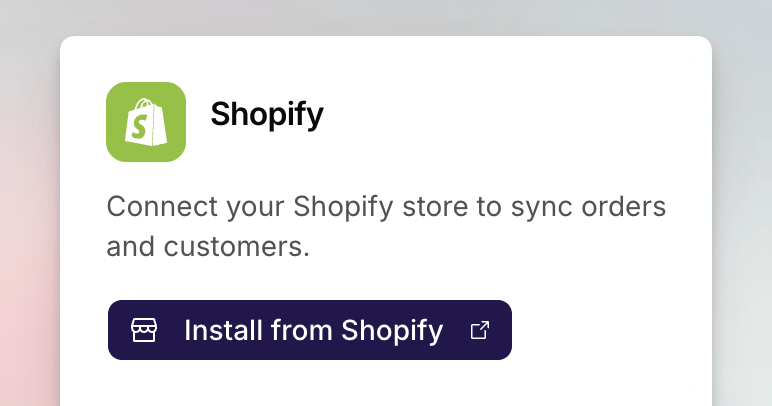
Go to **Settings > Integrations**. Shopify is in **Essentials**.
Click **Install from Shopify**. The Shopify App Store listing opens in a new
tab. Install the app there, following the [install
guide](/knowledge/shopify/app-installation) if you need the App Store and
permissions screens.
Shopify sends you back to app.mention-me.com. Sign in if prompted, choose
the organisation this store should belong to, then confirm.
If you started in Shopify Admin, complete **Connect to Mention Me** in the app as described in the [install guide](/knowledge/shopify/app-installation). Confirm the result on this card afterwards.
To add another store, repeat the flow on that shop. Each store is its own app install.
## Confirm It Worked
The Shopify card should read **Connected** and show the store domain. **Open Shopify Admin** goes to that shop.
## Disconnect
Admins can click **Disconnect** on the card, then confirm. You can reconnect later. Disconnecting does not uninstall the app from Shopify; remove it there if you want it gone from the shop as well.
## Common Issues
Only merchant admins can connect or disconnect. Ask an admin, or switch to a
workspace where you have that role.
You are signed in, but not a member of the workspace that should own this
store. Ask an admin to invite you, or [submit a support
request](https://help.mention-me.com/hc/en-gb/requests/new).
The link back to app.mention-me.com did not finish. Open the Mention Me app
in Shopify Admin and click **Connect to Mention Me** again, as in the
[install guide](/knowledge/shopify/app-installation). Stay signed in until
you return to Settings.
## See Also
What the connection is for, including multiple stores.
Pull existing buyers from a connected store.
Install the app and place it on checkout and account pages.
## From Settings
Go to **Settings > Integrations**. Shopify is in **Essentials**.
Click **Install from Shopify**. The Shopify App Store listing opens in a new
tab. Install the app there, following the [install
guide](/knowledge/shopify/app-installation) if you need the App Store and
permissions screens.
Shopify sends you back to app.mention-me.com. Sign in if prompted, choose
the organisation this store should belong to, then confirm.
If you started in Shopify Admin, complete **Connect to Mention Me** in the app as described in the [install guide](/knowledge/shopify/app-installation). Confirm the result on this card afterwards.
To add another store, repeat the flow on that shop. Each store is its own app install.
## Confirm It Worked
The Shopify card should read **Connected** and show the store domain. **Open Shopify Admin** goes to that shop.
## Disconnect
Admins can click **Disconnect** on the card, then confirm. You can reconnect later. Disconnecting does not uninstall the app from Shopify; remove it there if you want it gone from the shop as well.
## Common Issues
Only merchant admins can connect or disconnect. Ask an admin, or switch to a
workspace where you have that role.
You are signed in, but not a member of the workspace that should own this
store. Ask an admin to invite you, or [submit a support
request](https://help.mention-me.com/hc/en-gb/requests/new).
The link back to app.mention-me.com did not finish. Open the Mention Me app
in Shopify Admin and click **Connect to Mention Me** again, as in the
[install guide](/knowledge/shopify/app-installation). Stay signed in until
you return to Settings.
## See Also
What the connection is for, including multiple stores.
Pull existing buyers from a connected store.
Install the app and place it on checkout and account pages.