> ## Documentation Index
> Fetch the complete documentation index at: https://docs.mention-me.com/llms.txt
> Use this file to discover all available pages before exploring further.
# How to Resend a Customer's Reward Email
> Resend a reward email to a customer directly from their profile if they can't find it.
If a customer can't find their reward email, resend it directly from their profile rather than asking them to search their inbox again.
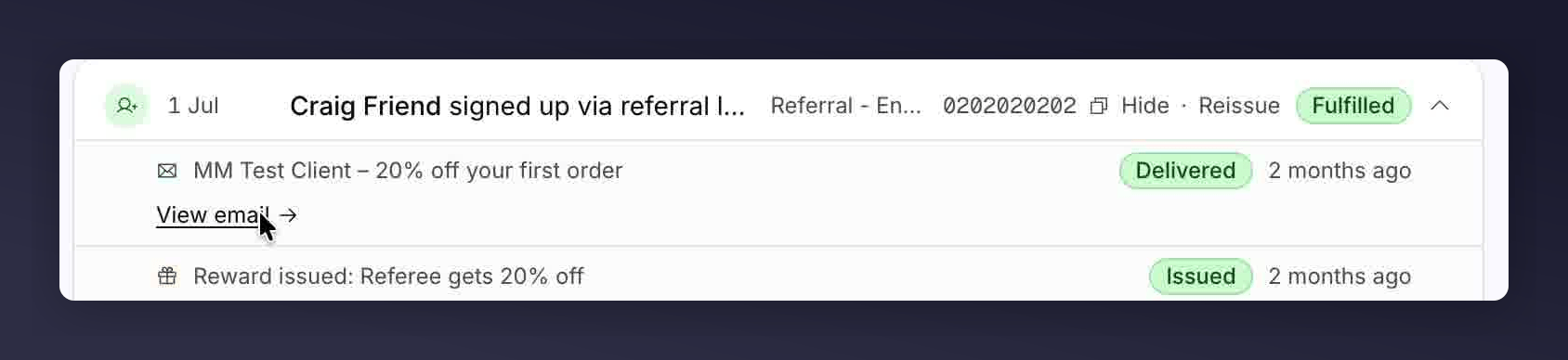
Only delivered emails show a **View email** link. Bounced, suppressed, or unsent emails won't have one.
Before resending, remind the customer to check their spam or junk folder first. It's often already there.
Find them via the [Customers list](/knowledge-app/customers/browse/customer-list) and open the profile.
Scroll to the **Activity** feed and locate the email you want to resend, then click **View email**.
 In the email preview panel, click **Resend email**.
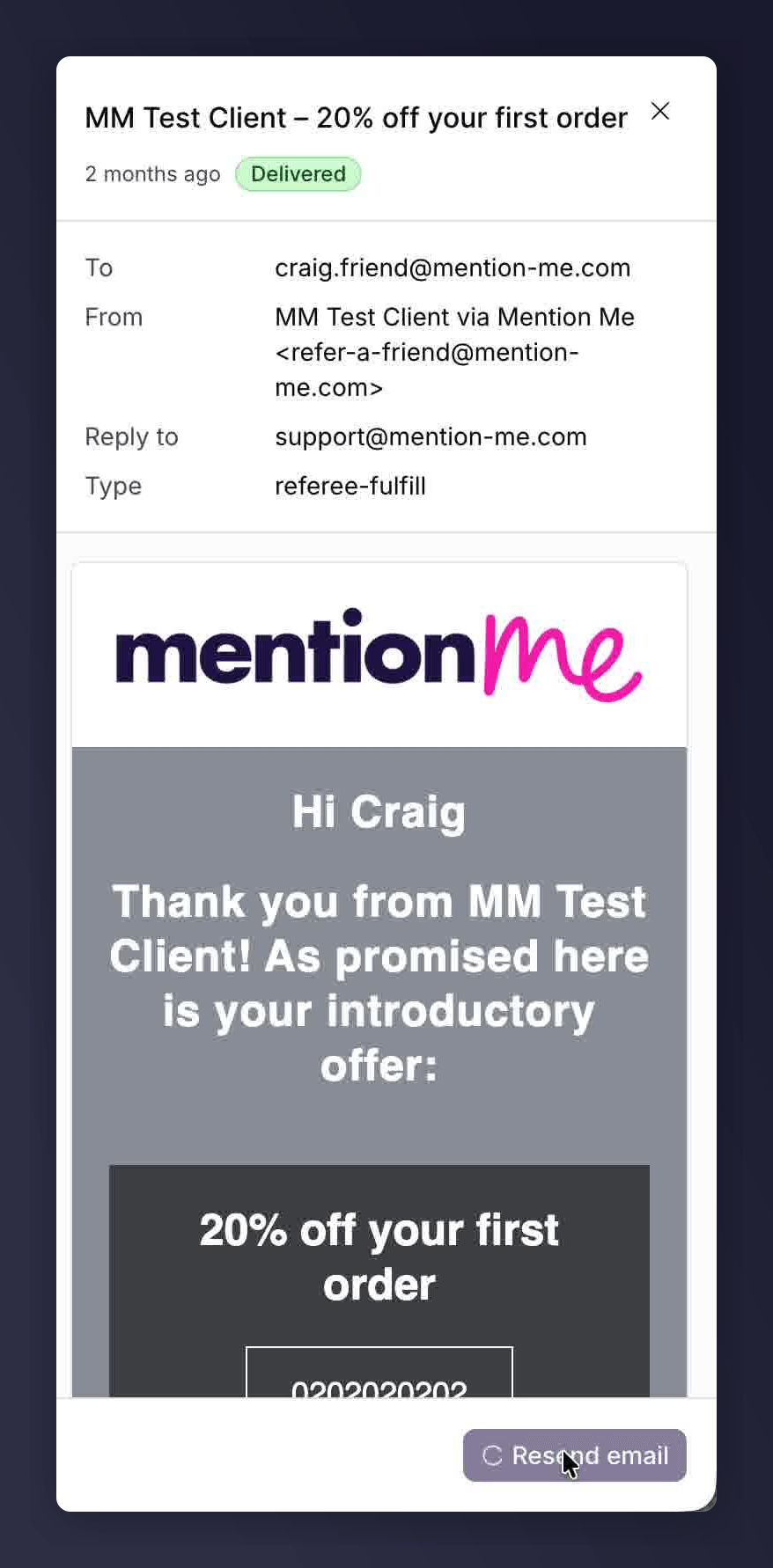 A toast confirms it's been resent, and the timestamp updates to show it was just sent.
## See Also
Reveal a customer's reward code directly from their profile if they can't find it in their fulfilment email.
Swap an expired, barred, or fully used coupon for a fresh code instead.
A toast confirms it's been resent, and the timestamp updates to show it was just sent.
## See Also
Reveal a customer's reward code directly from their profile if they can't find it in their fulfilment email.
Swap an expired, barred, or fully used coupon for a fresh code instead.