> ## Documentation Index
> Fetch the complete documentation index at: https://docs.mention-me.com/llms.txt
> Use this file to discover all available pages before exploring further.
# Understanding Fraud and Fraud Controls
> How referral abuse is scored and reviewed, what an approvable is, and how the platform's fraud controls differ from fraud itself.
Referral programmes attract a predictable kind of abuse: customers referring themselves, recycling their own purchases, or otherwise engineering rewards they have not earned. Mention Me calls this **fraud**, scores it automatically, and routes anything doubtful to you for review rather than fulfilling it blindly.
## Approvables
An **approvable** is a pending referral outcome awaiting your review before its reward is fulfilled. Every approvable surfaces in one of two queues under Customers:
* **Pending Rewards** holds outcomes that need a manual decision because the reward's own settings require approval.
* **Fraud Review** holds outcomes flagged as suspicious, ranked by fraud score.
Approving releases the reward for fulfilment; declining withholds it. Drive-action rewards move through the same approvals stream, so they appear in the same queues.
## Fraud Scores
Each approvable carries a fraud score reflecting how suspicious the referral looks, based on signals such as matching details between referrer and referee. The score is what makes bulk action safe: you can approve or decline in bulk by score threshold, clearing the obviously fine and the obviously abusive in one pass, and spend judgement only on the middle.
## Fraud versus Fraud Rules
The two words are deliberately distinct:
* **Fraud** is what customers do: referral abuse such as self-referral.
* **Fraud rules** and the **fraud score** are the platform's own controls for detecting it, which is what you read and adjust in the campaign editor.
So a merchant reviews *fraud* in the Fraud Review queue, and tunes *fraud controls* on the campaign.
## Where the Controls Live
Detection is tuned per campaign, in [the campaign editor's fraud controls](/knowledge-app/referral/campaigns/brand-referral/fraud-controls). Review happens per outcome, in the two queues. Each queue also has its own settings sheet controlling how it behaves, such as how long items wait before they escalate.
A customer can also carry a **Suspected of gaming** flag on their profile. That is a customer-level state rather than a campaign control, and it feeds the fraud score as one of its signals. See [mark or remove a gaming suspicion](/knowledge-app/customers/common-tasks/remove-gaming-suspicion).
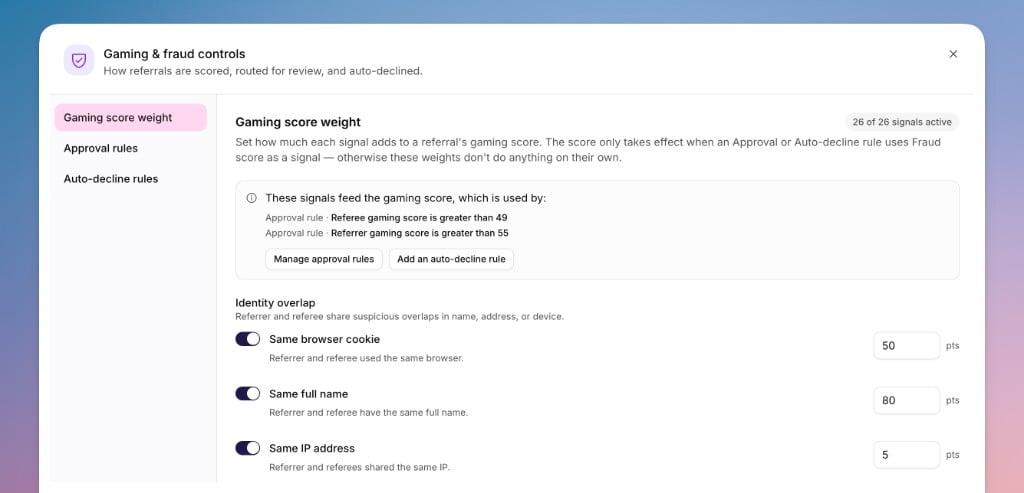
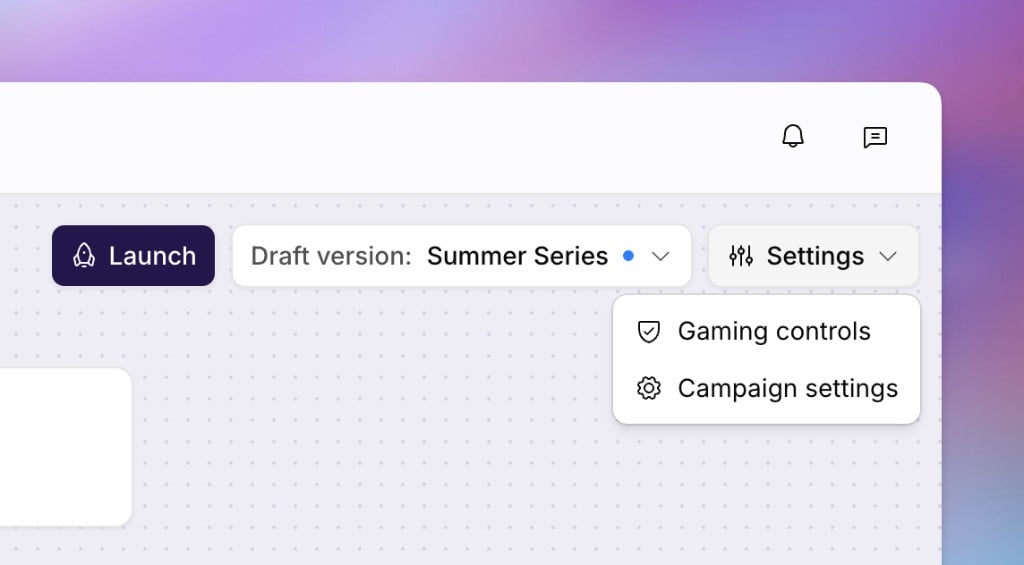 Opening **Fraud controls** shows the approval and auto-decline rules, and how each signal weights the fraud score they read:
 Product referral campaigns have no fraud controls to configure. Their
protections are built into the campaign type.
## See Also
Review suspicious referral activity flagged for approval, tune your signals, and act in bulk.
Approve or decline referral rewards that need a manual decision.
Adjust a campaign's URLs, email and advanced options, pause or resume it, and
configure how referrals are scored and reviewed for fraud.
How rewards are defined and fulfilled, and how vouchers and batches keep them stocked.
Product referral campaigns have no fraud controls to configure. Their
protections are built into the campaign type.
## See Also
Review suspicious referral activity flagged for approval, tune your signals, and act in bulk.
Approve or decline referral rewards that need a manual decision.
Adjust a campaign's URLs, email and advanced options, pause or resume it, and
configure how referrals are scored and reviewed for fraud.
How rewards are defined and fulfilled, and how vouchers and batches keep them stocked.