> ## Documentation Index
> Fetch the complete documentation index at: https://docs.mention-me.com/llms.txt
> Use this file to discover all available pages before exploring further.
# Referrer promotion
> How to promote your referral program to referrers in app
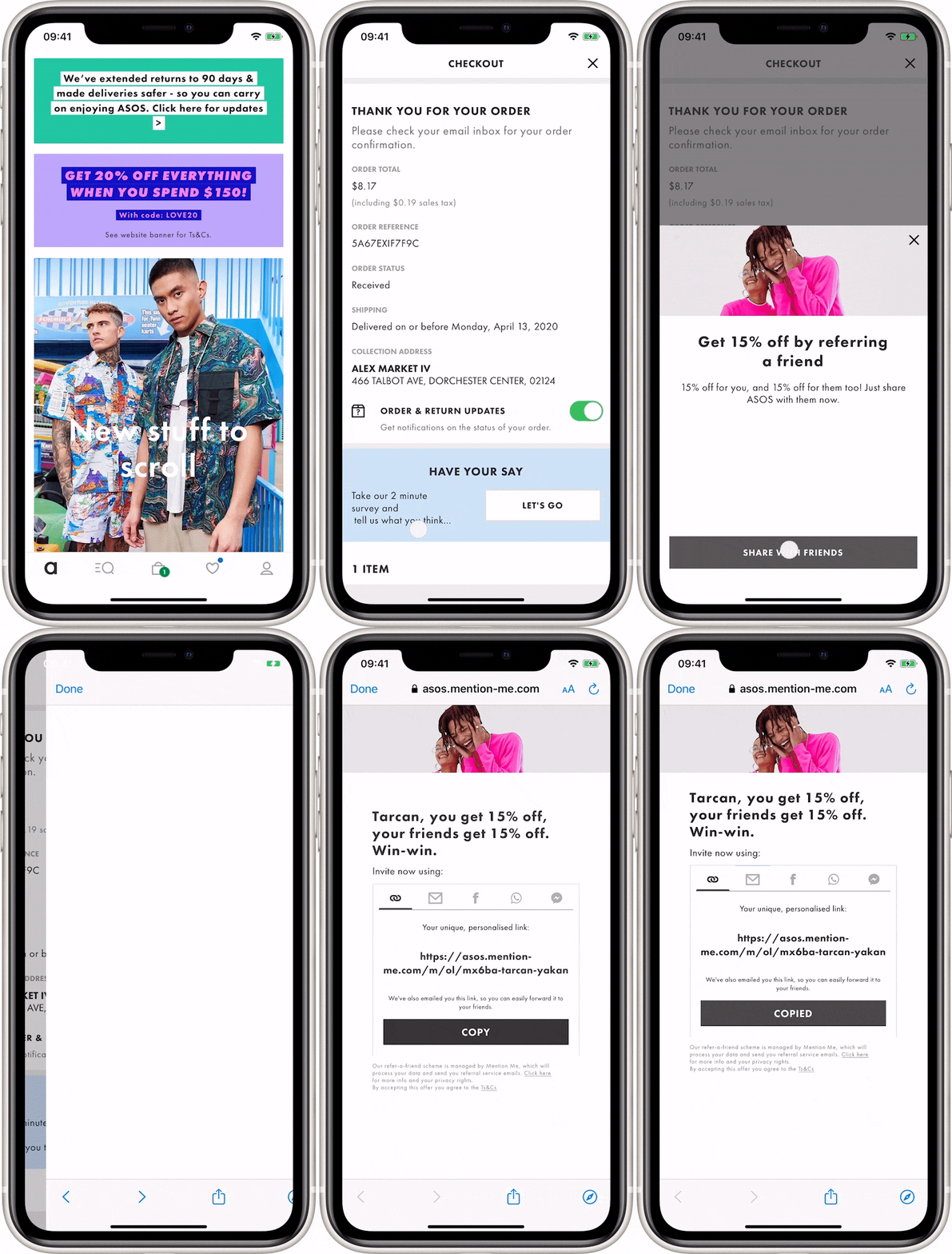
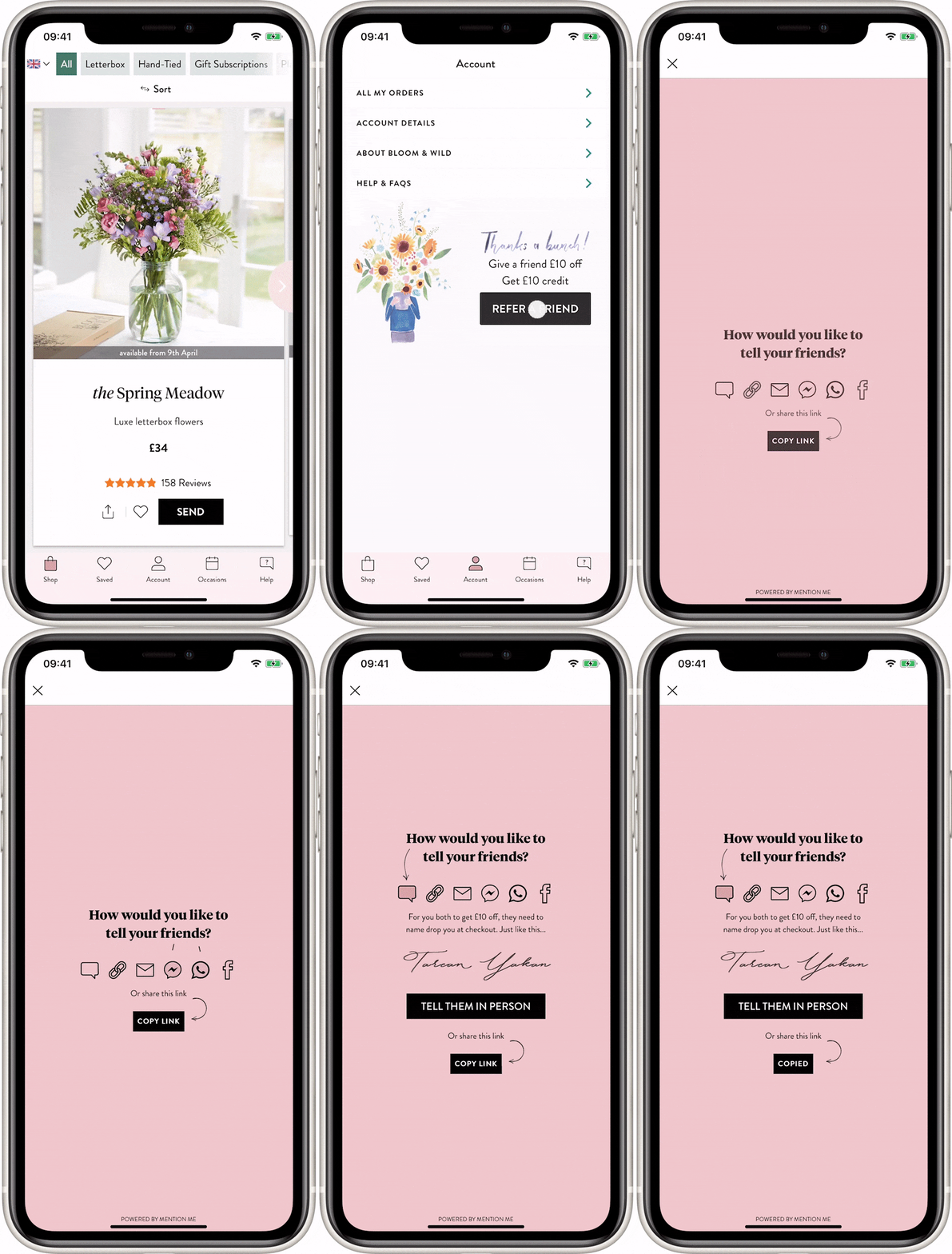
You can promote referral at any point in your app - normally a "**point of delight**" makes sense - after a successful transaction. We’ll send customers from those touch points via links or buttons to web views hosted by us where they can share the offer with their friends.
Here is an example of how this integration looks in app for two of our clients:
 # How to promote referral to your existing customers
Call the [Referrer API](/api-reference/entry-point-api/overview) passing parameters about the customer and touchpoint.
Pass the customer details, any segmentation parameters and the order/transaction/sign-up event details (if it happens at the same time).
If the touch point is available, Mention Me returns a URL to the web view and content which you can use for the headline, description and call to action.
If we return an HTTP error code (e.g. 404) you should not show anything - enrollment is not available for that customer, your account, or that touchpoint.
When the user has finished sharing they will close the web view to return to the app.
What’s Next
Learn about the Referee ("find a friend") integration via the Entry Point API
* [Referee integration](/api-reference/entry-point-api/referee-integration)
# How to promote referral to your existing customers
Call the [Referrer API](/api-reference/entry-point-api/overview) passing parameters about the customer and touchpoint.
Pass the customer details, any segmentation parameters and the order/transaction/sign-up event details (if it happens at the same time).
If the touch point is available, Mention Me returns a URL to the web view and content which you can use for the headline, description and call to action.
If we return an HTTP error code (e.g. 404) you should not show anything - enrollment is not available for that customer, your account, or that touchpoint.
When the user has finished sharing they will close the web view to return to the app.
What’s Next
Learn about the Referee ("find a friend") integration via the Entry Point API
* [Referee integration](/api-reference/entry-point-api/referee-integration)